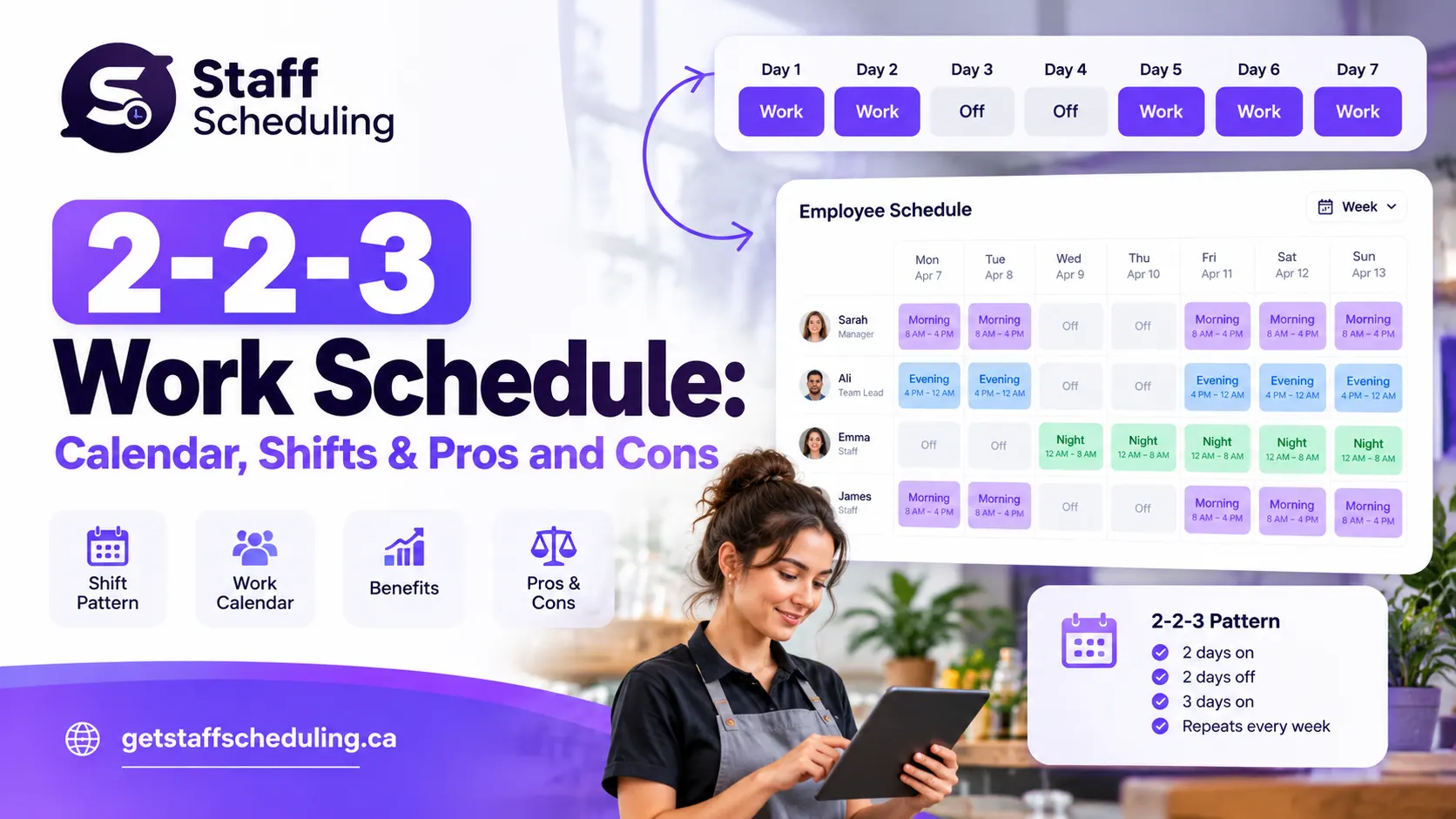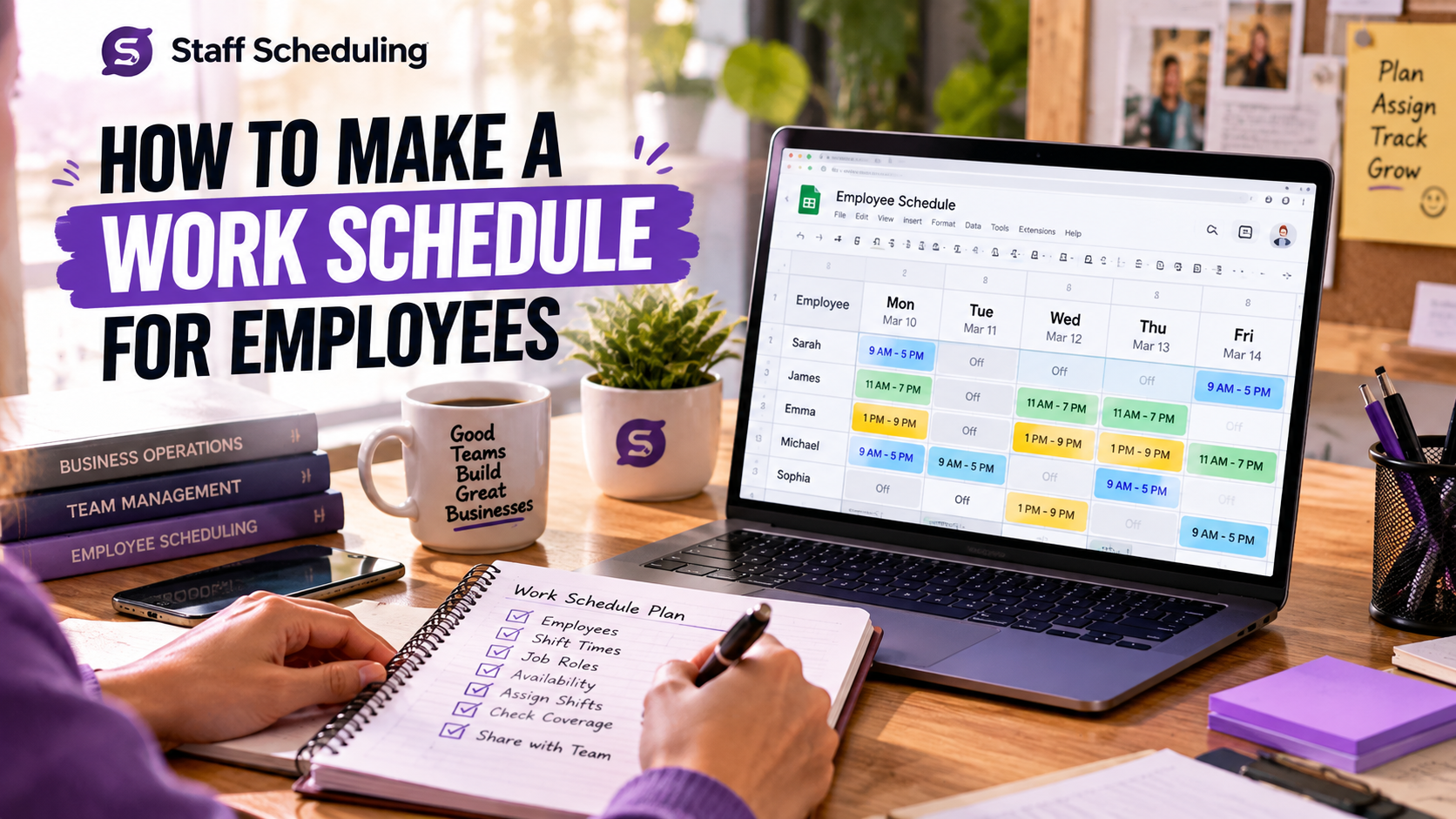
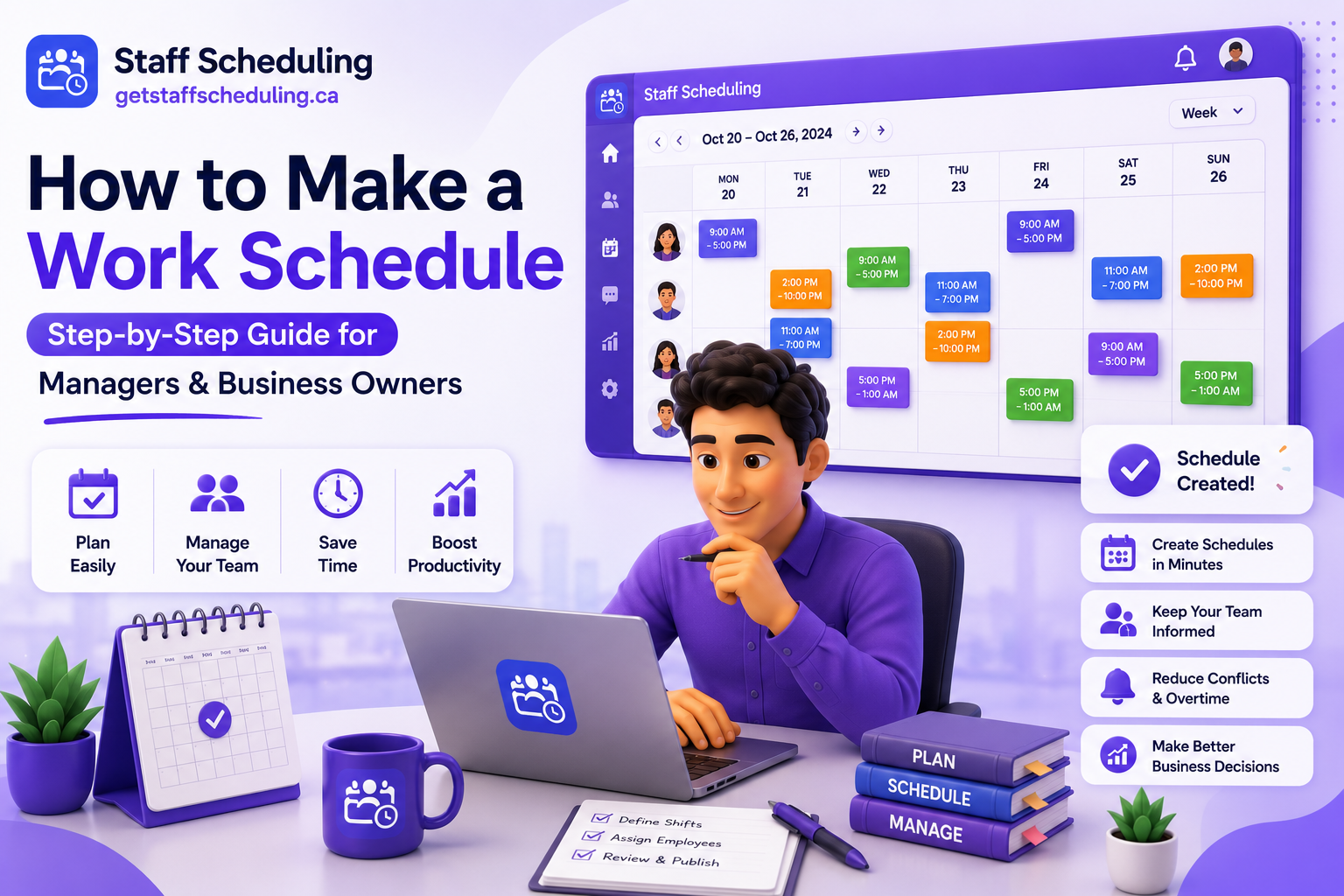
Creating a work schedule sounds simple until you have to balance employee availability, shift coverage, business hours, labor costs, and last-minute changes. A poorly planned schedule can lead to understaffing, overtime, frustrated employees, and lower productivity. Whether you manage a small business, lead a growing team, or are creating work schedules for employees for the first time, having a clear process makes scheduling easier and more effective.
In this guide, you'll learn how to make a work schedule step by step using practical methods that actually work. We'll show you how to plan shifts fairly, avoid common scheduling mistakes, create schedules in Excel, Google Sheets, and Google Calendar, and build a reusable work schedule template. If you're looking for a faster way to organize employee shifts, you can also explore our Employee Schedule Maker to simplify the scheduling process.
By the end of this guide, you'll know how to create organized, balanced, and reliable work schedules that keep your team productive, improve communication, and help your business run more smoothly—without making scheduling more complicated than it needs to be.
Create Employee Work Schedules in Minutes
Stop managing shifts manually. Create, organize, and share employee schedules with our easy-to-use scheduling software. Start your free trial today and simplify scheduling for your entire team.
Start Your Free TrialNo credit card required · Free 30-day trial
Quick Answer
How to make a work schedule: Start by identifying your business needs, employee availability, staffing requirements, and shift priorities. Then assign shifts fairly, review the schedule for conflicts, share it with your team, and update it regularly based on business demand and employee feedback. Using tools like Excel, Google Sheets, Google Calendar, or employee scheduling software can make the process faster and more organized.
Key Takeaways
- A well-planned work schedule balances business needs, employee availability, labor costs, and shift coverage to keep operations running smoothly.
- Before creating a schedule, gather employee availability, approved time-off requests, staffing requirements, business hours, and scheduling policies.
- Build schedules fairly by matching employee skills, workload, and shift demand while avoiding unnecessary overtime and scheduling conflicts.
- You can create a work schedule using Excel, Google Sheets, Google Calendar, or dedicated employee scheduling software, depending on your team's size and needs.
- Review and update your schedule regularly to handle business changes, employee feedback, and last-minute shift adjustments.
- Following a structured scheduling process improves productivity, supports better team communication, and creates a more reliable experience for both managers and employees.
What Is a Work Schedule?
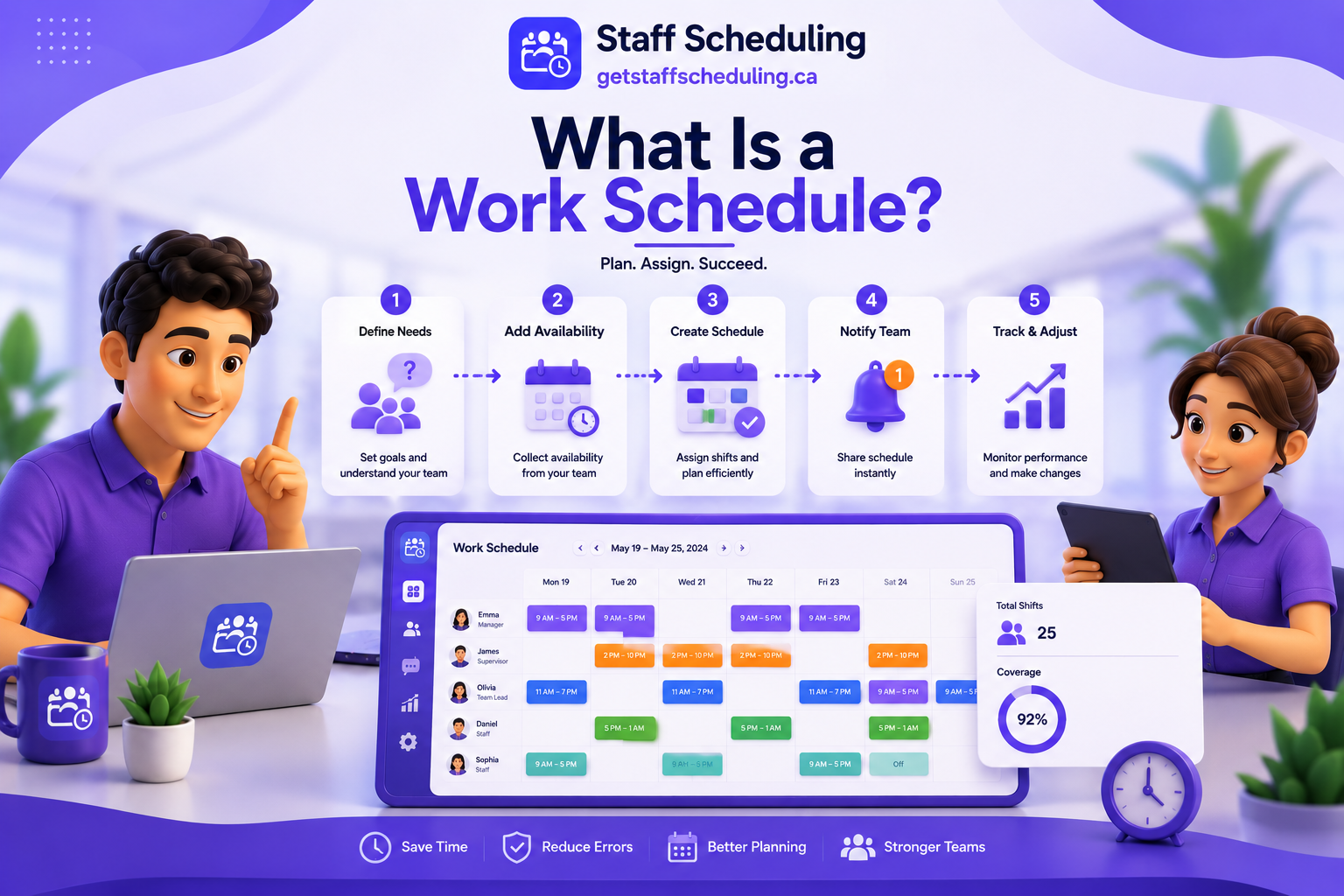
A work schedule is a plan that shows when employees work, what shifts they are assigned, and the hours they are expected to complete. It helps businesses organize daily operations, ensure every shift is covered, and give employees a clear understanding of their responsibilities.
A well-designed work schedule is more than a timetable. It balances business demand with employee availability, assigns the right people to the right shifts, and helps managers avoid understaffing, overstaffing, and unnecessary overtime. Whether you run a restaurant, retail store, healthcare clinic, office, or any other business, an organized schedule keeps work running efficiently while making expectations clear for everyone.
If you're new to workforce planning, our guide on what is staff scheduling explains the fundamentals of scheduling, how it works, and why it's essential for managing employees effectively.
What Does a Work Schedule Include?
The exact details vary from one business to another, but most work schedules include the following information:
- Employee names and assigned roles
- Work dates and shift times
- Breaks and meal periods
- Business locations or departments (if applicable)
- Days off and approved leave requests
- Total scheduled hours
- Notes for special tasks or shift instructions
Including these details in one schedule makes it easier for managers to coordinate staff, reduce scheduling errors, and keep employees informed about their upcoming shifts.
Keep your work schedule simple and easy to read. Employees should be able to check their shift, work hours, and responsibilities in just a few seconds.
Why Is a Work Schedule Important for Businesses?
A work schedule helps businesses use their workforce more effectively while creating a better experience for employees. Instead of reacting to staffing problems every day, managers can plan ahead, assign shifts fairly, and prepare for busy periods before they happen.
An effective work schedule can help businesses:
- Maintain the right staffing levels during busy and slow hours
- Improve employee productivity and accountability
- Reduce scheduling conflicts and last-minute changes
- Control labor costs and unnecessary overtime
- Support fair shift distribution across the team
- Improve communication between managers and employees
- Deliver more consistent customer service
Example: Imagine a coffee shop that expects a busy Saturday morning. By scheduling more experienced employees during peak hours and reducing staff during quieter periods, the business can serve customers faster, avoid unnecessary labor costs, and create a smoother experience for both employees and customers.
Quick Summary: A work schedule is the foundation of effective workforce management. When it is planned carefully, it helps businesses stay organized, keeps employees informed, and ensures the right people are working at the right time.
What You Need Before Creating a Work Schedule
Creating a work schedule becomes much easier when you prepare the right information first. Many scheduling problems—such as uncovered shifts, overtime, employee conflicts, and last-minute changes—happen because managers start assigning shifts before understanding their business needs.
Before you build a schedule, take time to review your operating hours, staffing requirements, and employee availability. A few minutes of planning can help you create a schedule that is fair, organized, and easier to manage throughout the week.
Understand Your Business Hours
Start by identifying when your business operates and when you need employees the most. Your work schedule should reflect actual business demand instead of giving every day or shift the same number of employees.
Look at your busiest and quietest hours, seasonal trends, and days with higher customer traffic. For example, a restaurant may need more staff during dinner service, while a retail store may require additional employees on weekends or during holiday sales.
If your business operates with different shifts, understanding how each shift works is equally important. Learn more about work shift schedules and explore common evening shift hours to choose the right staffing approach for your team.
Identify Staffing Requirements
Once you understand your business hours, determine how many employees you need for each shift. The goal is to maintain the right balance—not too many employees during slow periods and not too few during busy hours.
Consider factors such as:
- Expected customer demand
- Number of daily tasks
- Employee roles and responsibilities
- Required skills for each shift
- Coverage for breaks and emergencies
For example, a coffee shop may only need two employees on a weekday morning but require five or six during the weekend rush. Planning staffing requirements in advance helps reduce labor costs while ensuring customers receive consistent service.
Collect Employee Availability
Before assigning shifts, make sure you know when each employee is available to work. Scheduling without accurate availability often leads to shift changes, absences, and unnecessary scheduling conflicts.
Ask employees to share:
- Available working days
- Preferred shift times
- Part-time or full-time availability
- Approved time restrictions
- Recurring commitments, such as classes or second jobs
Keeping employee availability updated allows managers to build fair schedules that respect personal commitments while meeting business needs. It also reduces last-minute adjustments and creates a more reliable scheduling process for everyone.
Review Time-Off Requests
Before finalizing your work schedule, review all approved leave requests, vacations, and planned absences. Ignoring time-off requests can leave important shifts uncovered, create scheduling conflicts, and reduce employee satisfaction.
Create a single list of approved leave before assigning shifts so you know exactly who is available. If multiple employees request the same day off, plan ahead by arranging backup coverage or adjusting shifts early instead of making last-minute changes.
A simple review process helps you maintain full shift coverage while respecting employee commitments.
Consider Employee Skills and Roles
Not every employee can perform the same tasks. Assigning shifts based on skills, experience, and job responsibilities helps your business operate more efficiently and improves the quality of work.
For example, an experienced supervisor may be needed during busy hours, while trained kitchen staff, cashiers, or customer service representatives should be scheduled where their skills are most valuable. Matching the right employee to the right shift also reduces mistakes, improves productivity, and provides better service to customers.
Instead of filling shifts with any available employee, focus on placing the right people in the right roles at the right time.
Define Your Labor Budget
A good work schedule should balance staffing needs with labor costs. Scheduling too many employees increases payroll expenses, while scheduling too few can reduce productivity, increase overtime, and affect customer service.
Before building your schedule, decide how many labor hours your business can afford each day or week. Then distribute shifts based on expected demand, employee availability, and business priorities.
Planning your labor budget in advance helps you control costs without sacrificing service quality or overloading your team.
Prepare Scheduling Policies
Clear scheduling policies make the scheduling process more consistent and easier for everyone to follow. Employees know what to expect, and managers spend less time resolving misunderstandings.
Your scheduling policy should clearly explain:
- How far in advance schedules will be published
- How employees can request time off
- The process for shift swaps
- Rules for overtime and extra hours
- Attendance and punctuality expectations
- How schedule changes should be communicated
When everyone follows the same guidelines, schedules become more predictable, fair, and easier to manage across the entire team.
Types of Work Schedules
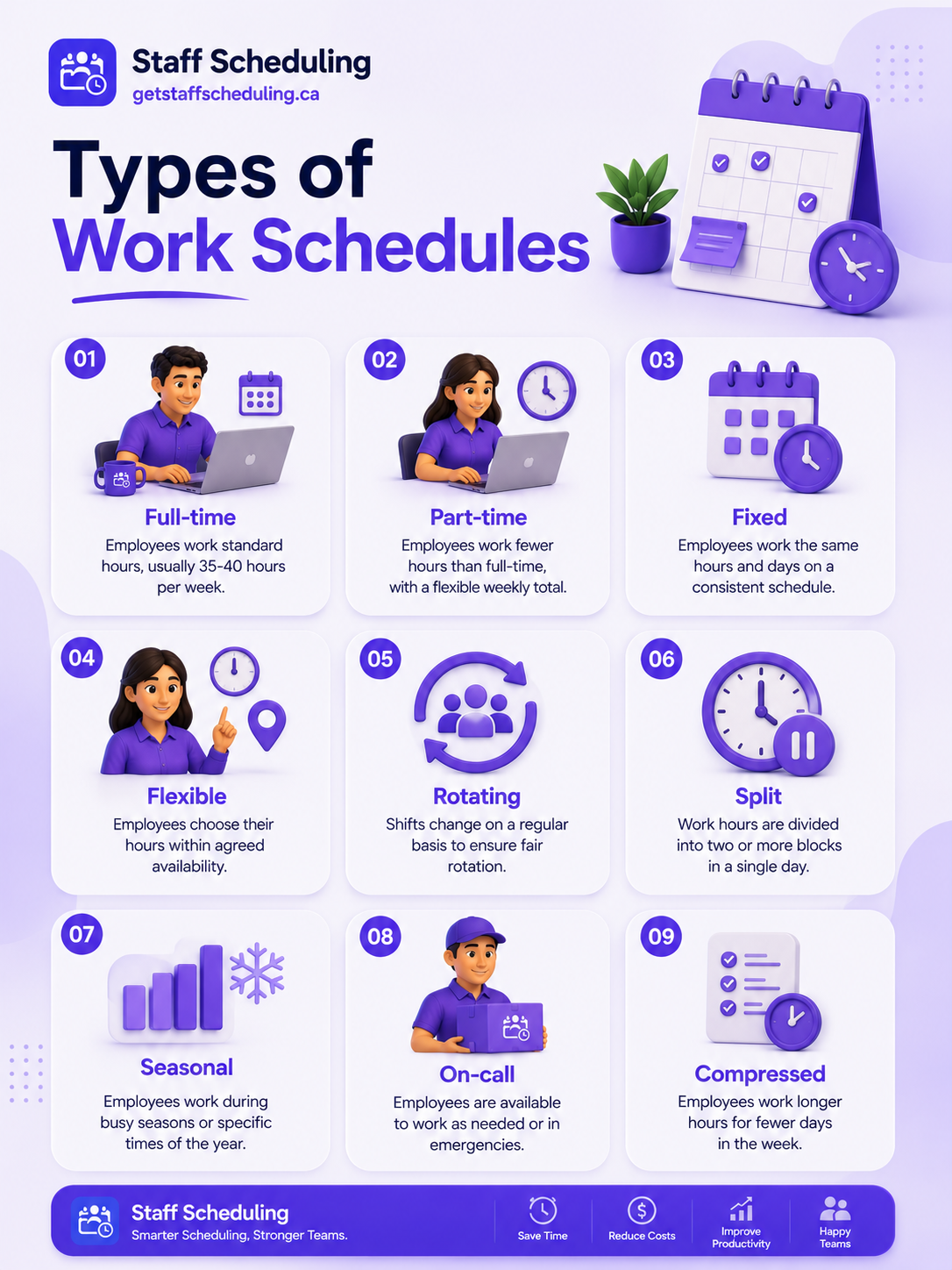
Choosing the right work schedule is just as important as creating one. Different businesses have different staffing needs, operating hours, and workloads, so there isn't a single scheduling method that works for everyone.
Understanding the most common types of work schedules helps managers assign shifts more effectively, improve employee satisfaction, and keep business operations running smoothly. The right schedule depends on your business hours, team size, customer demand, and the flexibility your workforce requires.
Full-Time Schedule
A full-time schedule is designed for employees who work a standard number of hours each week, typically between 35 and 40 hours, depending on company policies and local labor regulations. Full-time employees usually follow consistent weekly schedules and often handle core business responsibilities.
This schedule works well for businesses that need reliable daily coverage, such as offices, healthcare facilities, retail stores, and restaurants. Because employees work regular hours, managers can plan workloads more accurately and maintain consistent staffing levels.
Tracking attendance and working hours becomes much easier with an attendance management system, helping managers monitor schedules, overtime, and employee hours from one place.
Part-Time Schedule
A part-time schedule is intended for employees who work fewer hours than full-time staff. Businesses often use part-time schedules to cover busy periods, weekends, evenings, or seasonal demand without increasing full-time labor costs.
Part-time scheduling provides flexibility for both employers and employees. Students, parents, and individuals with other commitments often prefer part-time shifts because they can balance work with their personal schedules.
Before assigning part-time shifts, it's important to collect employee availability. Using an employee availability tracker helps managers assign shifts that match each employee's available working hours while reducing scheduling conflicts.
Fixed Schedule
A fixed schedule gives employees the same working days and hours every week. For example, an employee may work Monday to Friday from 9:00 AM to 5:00 PM every week without frequent schedule changes.
Fixed schedules make workforce planning more predictable because employees know exactly when they are expected to work. They also simplify payroll, attendance tracking, and shift planning for managers.
This schedule is commonly used in offices, schools, government organizations, and businesses with consistent operating hours.
Flexible Schedule
A flexible schedule allows employees to work different start and finish times while still completing their required working hours. Instead of following the same daily timetable, employees have greater flexibility to adjust their schedules based on business requirements and approved availability.
Flexible scheduling works well for businesses that support remote work, hybrid teams, customer service departments, and project-based roles. It can also improve work-life balance while giving managers enough flexibility to maintain shift coverage throughout the day.
Clear communication becomes even more important when employees work different hours. Sharing schedule updates, policy changes, or important reminders through a centralized team announcements feature helps everyone stay informed.
Rotating Shift Schedule
A rotating shift schedule changes employee shifts on a planned rotation. Instead of working the same shift every week, employees rotate between morning, evening, night, or weekend shifts over a fixed period.
Rotating schedules help distribute less desirable shifts more fairly across the team while ensuring businesses maintain 24-hour or extended operating hours. They are commonly used in hospitals, manufacturing plants, security services, warehouses, and customer support centers.
Because rotating schedules involve frequent shift changes, managers should plan rotations in advance and use an employee schedule maker to organize shifts, reduce conflicts, and keep every employee informed about upcoming schedule changes.
Split Shift
A split shift divides an employee's workday into two separate working periods with a longer unpaid break in between. Instead of working continuous hours, employees return later in the day to complete the second part of their shift.
Split shifts are common in restaurants, transportation, hospitality, and customer service businesses where demand increases during specific hours, such as lunch and dinner. This approach helps businesses schedule employees only when they are needed, reducing unnecessary labor costs while maintaining service quality.
If your business relies on multiple daily shift patterns, understanding different schedules—such as day shift hours and mid shifts—can help you build more efficient employee schedules.
Compressed Workweek
A compressed workweek allows employees to complete their weekly working hours in fewer days. Instead of working five standard days, employees may work four longer shifts, such as four 10-hour days.
This schedule gives employees additional days off while allowing businesses to maintain full weekly coverage. It is commonly used in healthcare, manufacturing, government organizations, and companies that want to offer greater workplace flexibility.
Before introducing a compressed schedule, review employee workloads, overtime rules, and business coverage to ensure longer shifts remain productive and sustainable.
Seasonal Schedule
A seasonal schedule is designed for businesses whose staffing needs change throughout the year. Instead of maintaining the same workforce year-round, managers increase or reduce employee hours based on seasonal demand.
Retail stores often hire additional staff during holiday shopping periods, while hotels, tourism businesses, and event companies expand their workforce during peak seasons. Planning seasonal schedules in advance helps businesses maintain service quality without carrying unnecessary labor costs during slower periods.
Reviewing sales trends and historical staffing data before each busy season makes seasonal scheduling more accurate and easier to manage.
On-Call Schedule
An on-call schedule requires employees to remain available to work if additional staffing is needed. Employees may not be scheduled for a fixed shift but must be ready to respond when unexpected demand or emergencies arise.
On-call scheduling is widely used in hospitals, emergency services, IT support, maintenance teams, and other businesses that need immediate staff availability outside regular working hours.
To avoid confusion, businesses should clearly define on-call expectations, response times, compensation policies, and communication procedures before assigning these schedules.
Freelance & Contractor Schedule
A freelance or contractor schedule offers the highest level of flexibility because independent workers are typically assigned projects or specific working periods instead of fixed weekly shifts.
Businesses often use freelancers and contractors to handle temporary workloads, specialized projects, or seasonal demand without hiring permanent employees. This scheduling approach works well for creative agencies, software companies, consulting firms, and project-based teams.
Even though freelancers usually manage their own working hours, setting clear deadlines, project timelines, and communication expectations helps everyone stay aligned and complete work on schedule.
Which Work Schedule Is Best for Your Business?
There isn't a single work schedule that works for every business. The best option depends on your operating hours, customer demand, workforce size, labor budget, and the flexibility your employees need.
For example, an office may perform best with a fixed schedule, while restaurants, hospitals, retail stores, and warehouses often rely on rotating or flexible shifts to maintain coverage throughout the day. Seasonal businesses may need temporary schedules during peak periods, while project-based companies often benefit from freelance or contractor scheduling.
When deciding how to make a work schedule, choose a scheduling approach that balances business goals with employee availability. A schedule that provides consistent coverage, distributes shifts fairly, and adapts to changing business needs will always be more effective than using the same schedule for every team.
How to Make a Work Schedule (Step-by-Step)
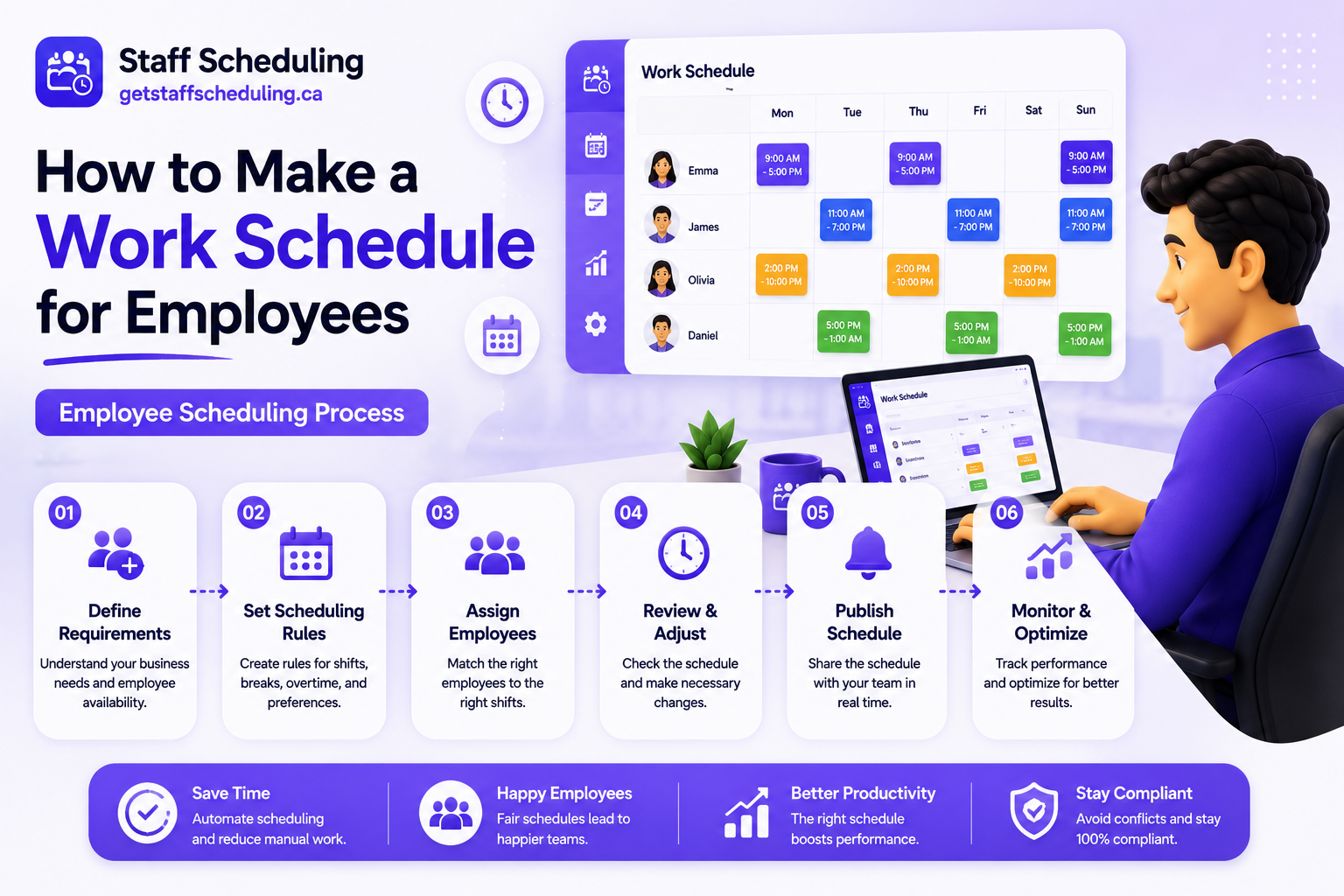
Creating a work schedule isn't just about filling shifts on a calendar. A well-planned schedule ensures the right employees are working at the right time, keeps labor costs under control, and helps your business operate efficiently.
Whether you're managing a small team or multiple locations, following a structured scheduling process reduces last-minute changes, improves employee satisfaction, and keeps daily operations running smoothly.
Follow these steps to learn how to make a work schedule that works for both your business and your employees.
Step 1 – Analyze Your Business Needs
The first step in creating a work schedule is understanding what your business actually requires. Every business has different operating hours, staffing levels, customer demand, and service expectations, so your schedule should reflect those unique needs.
Start by reviewing:
- Business operating hours
- Peak and slow business periods
- Number of employees required for each shift
- Departments that need coverage
- Business goals and daily priorities
For example, a restaurant usually needs more staff during lunch and dinner hours, while a retail business may require additional employees on weekends, holidays, or promotional events. Building your schedule around actual business demand helps improve productivity and reduces unnecessary labor costs.
Step 2 – Forecast Your Workload
Once you understand your business needs, estimate how much work your team will handle during the upcoming schedule. Forecasting your workload allows you to assign the right number of employees before busy periods begin instead of reacting after customers arrive.
Review information such as:
- Historical sales or customer traffic
- Seasonal trends
- Upcoming promotions or events
- Reservations or appointments
- Expected business growth
For example, an events and catering business may need additional staff for weddings or corporate events, while a healthcare organization must maintain consistent staffing regardless of daily demand. Accurate forecasting helps prevent both understaffing and overstaffing.
Step 3 – Organize Employee Information
Before assigning shifts, make sure your employee records are complete and up to date. Having accurate information makes scheduling faster and reduces mistakes that often lead to shift conflicts.
Keep track of important details, including:
- Employee roles and responsibilities
- Skills and certifications
- Employment type (full-time or part-time)
- Preferred working hours
- Availability
- Approved leave
- Contact information
For businesses with specialized roles, accurate employee records are even more important. For example, a security company may need licensed guards for specific assignments, while a cleaning service may assign teams based on location, experience, or client requirements.
When employee information is organized before scheduling begins, managers can create work schedules more quickly, assign the right people to the right shifts, and reduce scheduling errors throughout the week.
Step 4 – Collect Availability and Time-Off Requests
Before assigning shifts, confirm when each employee is available to work. Creating a schedule without updated availability often leads to last-minute changes, uncovered shifts, and unnecessary scheduling conflicts.
Ask employees to submit:
- Available working days
- Preferred shift times
- Approved vacation or leave
- Medical appointments or personal commitments
- Any recurring availability changes
Collecting this information before scheduling helps managers assign shifts more accurately and reduces the need for frequent schedule adjustments. It also creates a fair scheduling process because employee availability is considered before shifts are finalized.
Step 5 – Assign Shifts Based on Skills and Demand
Once employee availability is confirmed, start assigning shifts based on business demand and individual skills. Instead of scheduling employees randomly, match each shift with people who have the experience and qualifications needed for that role.
For example, busy customer service hours may require experienced team members, while specialized positions should always be assigned to employees with the appropriate training or certifications.
As you build your work schedule, focus on:
- Matching employee skills to job responsibilities
- Scheduling enough staff during busy hours
- Maintaining coverage across all departments
- Avoiding unnecessary overtime whenever possible
Assigning the right employees to the right shifts improves productivity, supports better customer service, and helps daily operations run more efficiently.
Step 6 – Balance Workloads Fairly
A successful work schedule should distribute working hours fairly across your team. Giving some employees too many shifts while others receive very few can reduce morale and create scheduling issues over time.
Review each employee's schedule to make sure workloads are balanced based on:
- Contracted working hours
- Employee availability
- Experience and responsibilities
- Weekend and holiday rotations
- Overtime already assigned
Fair scheduling helps prevent employee burnout, improves job satisfaction, and creates a more reliable work environment. When employees know shifts are assigned consistently, they are more likely to trust the scheduling process and remain engaged.
Step 7 – Check Labor Costs and Overtime
Before publishing your work schedule, review the total labor hours and expected payroll costs. A schedule should provide enough staff to meet business demand without creating unnecessary overtime or exceeding your labor budget.
Pay close attention to:
- Total scheduled hours
- Overtime hours
- Payroll costs
- Shift coverage
- Staffing levels during peak and quiet periods
If labor costs are higher than expected, adjust shift assignments before the schedule is released. Small changes at this stage can reduce expenses while still maintaining proper staffing levels.
Taking a few extra minutes to review labor costs helps businesses control payroll, improve workforce planning, and create a work schedule that supports both operational goals and employee well-being.
Step 8 – Review for Errors and Schedule Conflicts
Before sharing your work schedule, take a few minutes to review it carefully. A final review helps you catch small mistakes before they become bigger problems for your team.
Check your schedule for common issues such as:
- Employees assigned during approved leave
- Overlapping or duplicate shifts
- Uncovered shifts
- Excessive overtime
- Incorrect working hours
- Employees scheduled outside their availability
It can also be helpful to ask another manager or supervisor to review the schedule. A second review may identify conflicts or missing details that are easy to overlook.
Finding and fixing scheduling errors before publication saves time, reduces confusion, and helps daily operations run more smoothly.
Step 9 – Publish the Schedule
Once you've reviewed the schedule, share it with your employees as early as possible. Giving employees enough notice allows them to prepare for upcoming shifts, arrange personal commitments, and request changes before the schedule takes effect.
Choose a communication method that your entire team can easily access, such as:
- Employee scheduling software
- Mobile apps
- Email
- Team messaging platforms
- Printed schedules in the workplace
When publishing the schedule, clearly communicate:
- The schedule start and end dates
- Shift times and assigned roles
- Any recent schedule updates
- The process for requesting schedule changes
A clearly communicated work schedule reduces misunderstandings and helps employees stay informed about their responsibilities.
Step 10 – Monitor, Collect Feedback, and Improve
Creating a work schedule isn't the final step—it's an ongoing process. After the schedule is in use, monitor how well it supports your business and your employees.
Pay attention to questions such as:
- Were all shifts properly covered?
- Did employees experience scheduling conflicts?
- Were overtime hours higher than expected?
- Did staffing levels match customer demand?
- What feedback did employees provide?
Use this information to improve future schedules. Small adjustments based on real experience can make scheduling more accurate, reduce unnecessary changes, and create a better experience for everyone.
As your business grows, regularly reviewing and improving your scheduling process helps you create work schedules that are more efficient, fair, and adaptable to changing business needs.
How to Make a Work Schedule for Employees
Creating a work schedule for employees requires more than assigning shifts. Managers need to balance business demand, employee availability, skills, labor costs, and workplace fairness while ensuring every shift has the right coverage.
The best scheduling approach depends on your workforce. Full-time employees, part-time staff, multiple shifts, and multi-location teams all have different scheduling requirements. Understanding these differences helps you create schedules that improve productivity, reduce conflicts, and support smoother day-to-day operations.
Scheduling Full-Time Employees
When scheduling full-time employees, start by assigning their regular weekly hours before filling any remaining shifts. Since full-time team members often handle core business responsibilities, they should receive consistent schedules whenever possible.
While building the schedule, consider:
- Standard weekly working hours
- Job responsibilities
- Required skills or certifications
- Breaks and meal periods
- Overtime limits
Keeping schedules consistent helps employees plan their time, reduces confusion, and makes workforce planning more predictable for managers.
Scheduling Part-Time Employees
Part-time employees usually have more limited or changing availability, so flexibility is essential when assigning shifts. Before creating the schedule, confirm each employee's available days and preferred working hours.
When scheduling part-time staff:
- Match shifts with employee availability
- Avoid assigning overlapping shifts
- Distribute hours fairly across the team
- Schedule additional staff during busy periods
- Review availability regularly for any changes
A well-organized part-time schedule helps businesses cover peak hours while giving employees the flexibility they often expect.
Scheduling Multiple Shifts
Businesses that operate throughout the day often need morning, afternoon, evening, or overnight shifts. Creating multiple shifts requires careful planning to ensure every time period has enough employees without creating unnecessary overtime.
When managing multiple shifts:
- Forecast staffing needs for each shift
- Assign experienced employees during busy hours
- Rotate less desirable shifts fairly
- Leave enough time between consecutive shifts
- Review shift coverage before publishing the schedule
Balancing multiple shifts helps maintain consistent service levels while preventing employee fatigue and scheduling gaps.
Scheduling Across Multiple Locations
Managing employees across multiple locations adds another level of complexity to workforce scheduling. Each location may have different business hours, staffing requirements, customer demand, and employee availability.
To keep scheduling organized:
- Create schedules for each location separately
- Assign employees based on location and role
- Monitor staffing levels at every site
- Coordinate employees who work across multiple locations
- Keep communication consistent between managers
Whether you manage two locations or dozens of business sites, organized scheduling improves visibility, reduces staffing shortages, and helps every location operate efficiently.
Choosing the right scheduling approach for each group of employees makes it easier to create work schedules that are fair, organized, and aligned with your business goals.
How to Make a Work Schedule in Excel
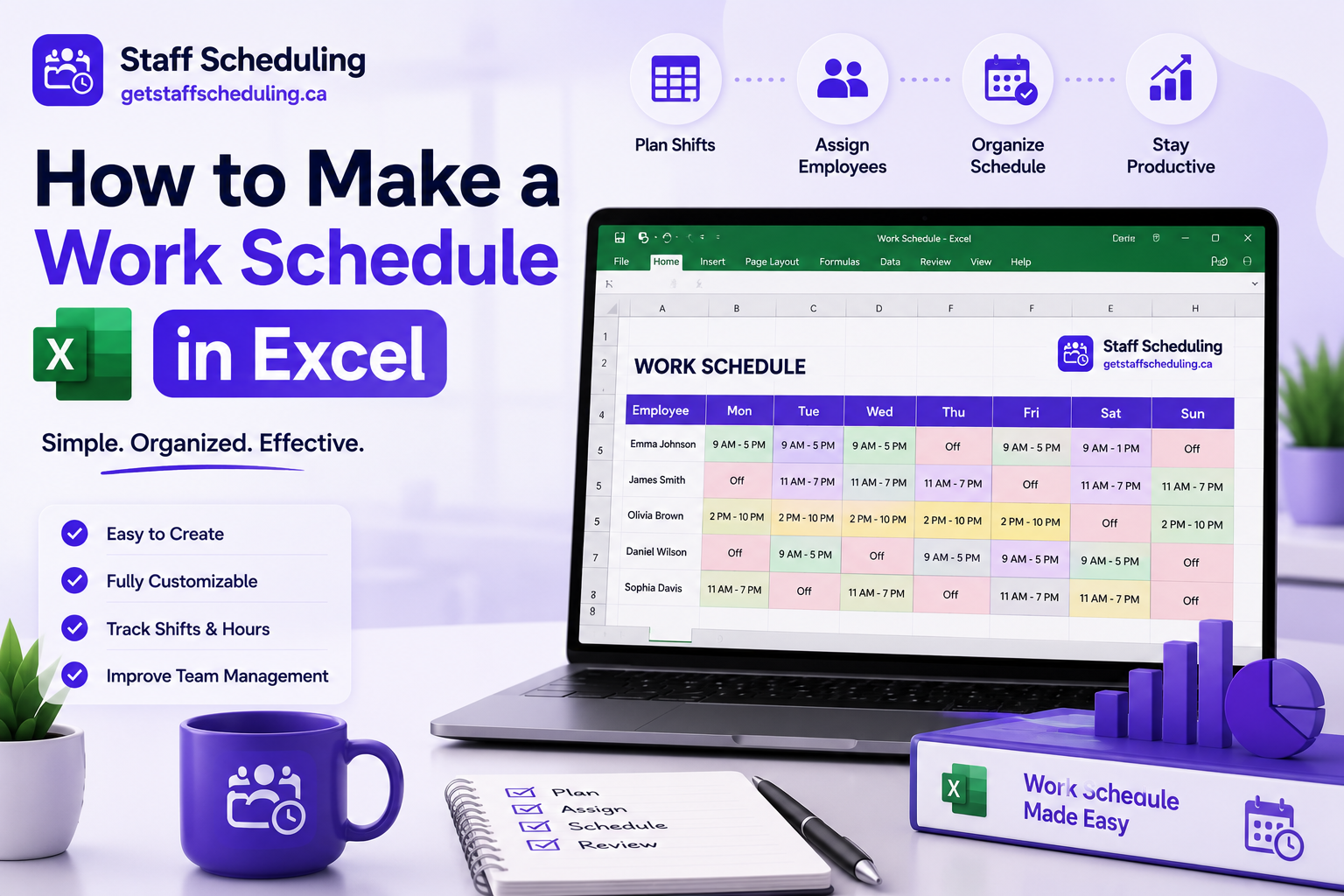
Microsoft Excel is one of the easiest tools for creating a work schedule, especially for small businesses and growing teams. It allows managers to organize employee shifts, track working hours, and make quick changes without using specialized scheduling software.
If you're wondering how to make a work schedule in Excel, start with a simple layout and gradually add formulas and formatting to make the schedule easier to manage.
Create a Basic Schedule
Begin by creating a table that clearly shows who is working, when they are working, and what shift they are assigned.
A simple Excel work schedule should include:
- Employee names
- Dates
- Days of the week
- Shift start and end times
- Break times (if applicable)
- Total working hours
- Notes or special instructions
Arrange dates across the top and employee names down the left side. This layout makes it easy to view weekly or monthly schedules and quickly identify open shifts or staffing gaps.
Keep the design clean and avoid adding unnecessary columns that make the schedule difficult to read.
Use Formulas and Formatting
Excel becomes much more useful when you take advantage of built-in formulas and formatting tools. These features reduce manual work and help minimize scheduling errors.
Useful Excel features include:
- SUM to calculate total weekly hours
- IF formulas to identify overtime or missing shifts
- Conditional formatting to highlight scheduling conflicts
- Color coding for different shifts or departments
- Drop-down lists for consistent shift names
These tools make your schedule easier to update, improve accuracy, and help managers identify potential issues before the schedule is shared with employees.
Excel Scheduling Tips
A well-organized spreadsheet is easier to maintain as your team grows. Following a few simple practices can save time and reduce mistakes each time you create a new work schedule.
Some practical tips include:
- Save a master schedule as a reusable template.
- Use consistent colors for different shifts.
- Lock important formula cells to prevent accidental edits.
- Update employee availability before making changes.
- Review the schedule for conflicts before sharing it.
- Keep previous schedules for future reference and planning.
Excel works well for basic scheduling, but as your workforce grows, managing frequent shift changes, employee availability, and multiple locations becomes more time-consuming. Businesses with larger teams often benefit from dedicated scheduling tools that automate many of these tasks while keeping schedules accurate and easy to update.
How to Make a Work Schedule in Google Sheets
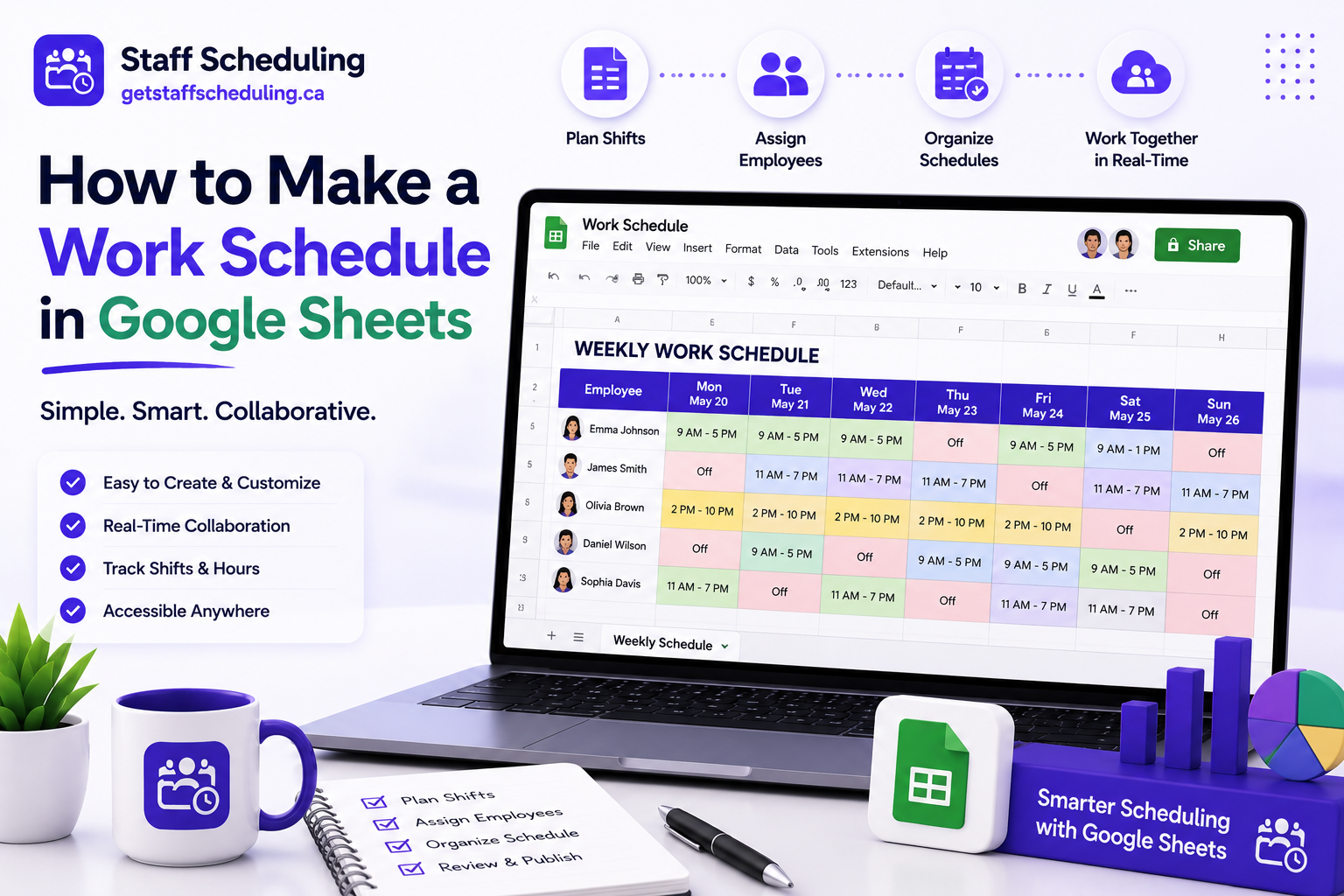
Google Sheets is a simple and free tool for creating employee work schedules. Because it stores files in the cloud, managers can update schedules from anywhere and employees can always access the latest version without downloading new copies.
If you're looking for how to make a work schedule in Google Sheets, start with a well-organized spreadsheet, make it easy to share, and use built-in features to reduce manual work.
Set Up Your Spreadsheet
A clear spreadsheet layout makes your work schedule easier to create, update, and understand. Before assigning shifts, organize the sheet so every employee can quickly find their schedule.
Include the following columns:
- Employee name
- Date
- Day of the week
- Shift start and end times
- Break time
- Department or location
- Notes
Use the first row for column headings and freeze it so the labels remain visible while scrolling. You can also apply different colors for morning, evening, and night shifts to improve readability.
Keeping your spreadsheet simple helps managers make updates faster and reduces confusion for employees.
Share With Employees
One of the biggest advantages of Google Sheets is real-time collaboration. Instead of sending updated files every time the schedule changes, you can share a single spreadsheet that always displays the latest version.
When sharing your work schedule:
- Give employees view-only access if they shouldn't make changes.
- Allow managers to edit the schedule when necessary.
- Share the spreadsheet using a secure link.
- Notify employees whenever important schedule updates are made.
- Review sharing permissions regularly to protect employee information.
Using one shared schedule improves communication, reduces version confusion, and helps everyone stay informed about upcoming shifts.
Automate Basic Tasks
Google Sheets includes several built-in features that make scheduling faster and more accurate. While it isn't a dedicated employee scheduling system, simple automation can eliminate repetitive work and reduce common mistakes.
Useful features include:
- Formulas to calculate total working hours
- Conditional formatting to highlight overtime or scheduling conflicts
- Drop-down lists for shift names and departments
- Checkboxes to track completed tasks
- Data validation to prevent incorrect entries
As your workforce grows, manually updating schedules becomes more challenging. Larger teams often benefit from dedicated scheduling software that automatically manages employee availability, shift assignments, schedule updates, and workforce planning, helping managers save time while keeping schedules accurate.
How to Make a Work Schedule on Google Calendar
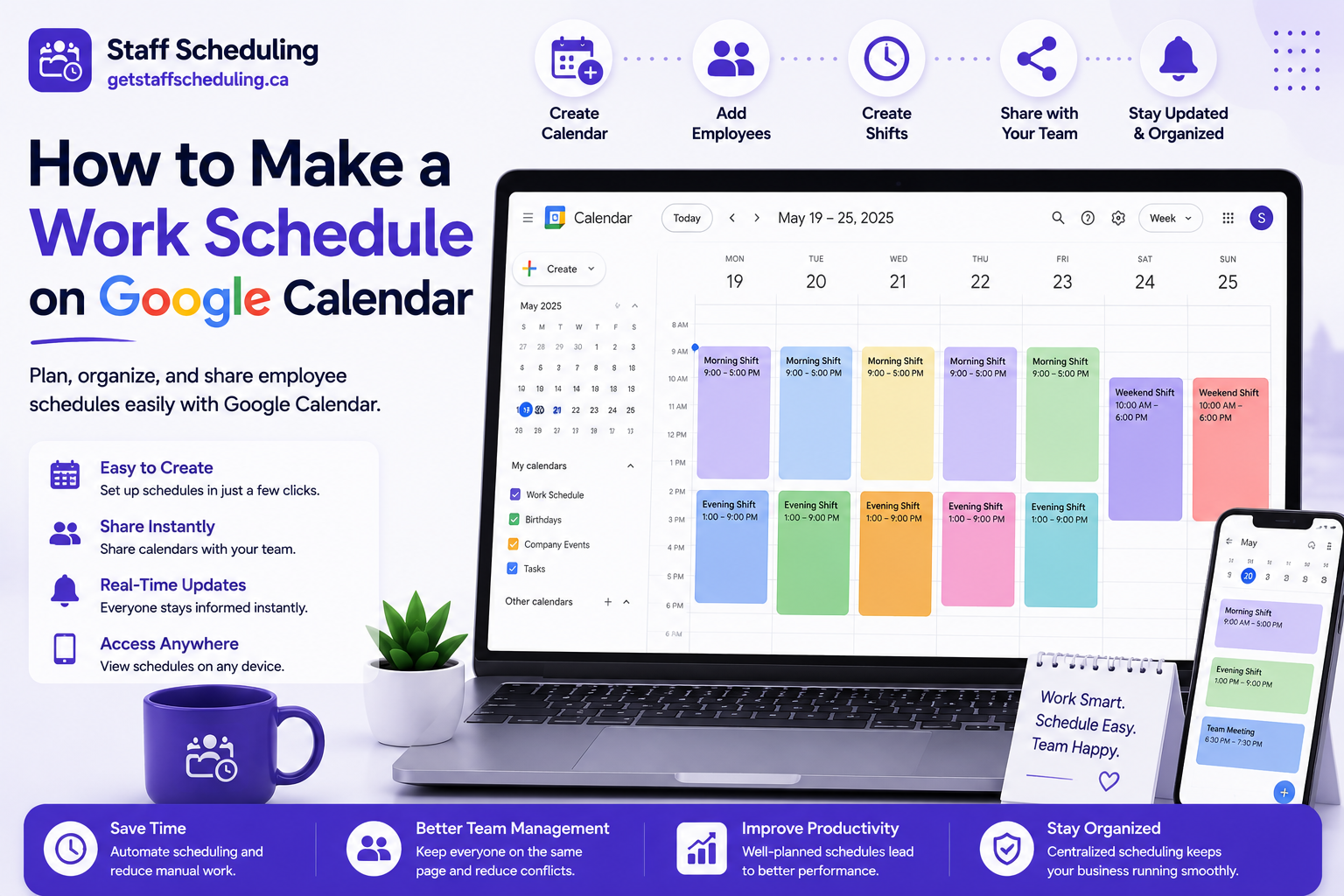
Google Calendar is a simple way to organize employee shifts, especially for small teams that need a shared schedule. It allows managers to create shift events, notify employees automatically, and update schedules in real time.
If you're searching for how to make a work schedule on Google Calendar, start by creating clear shift events, sharing a team calendar, and keeping schedule updates organized.
Create Shift Events
Begin by creating a separate calendar for employee schedules to keep work shifts organized and easy to manage. Then add an event for each shift with all the information employees need before they arrive at work.
Each shift event should include:
- Employee name
- Shift date
- Start and end time
- Work location or department
- Break details, if applicable
- Notes or special instructions
Use different calendar colors for morning, afternoon, evening, and night shifts. A clear color system makes the schedule easier to scan and helps employees identify their assigned shifts at a glance.
Share Team Calendars
After creating your schedule, share the calendar with your team so everyone has access to the latest shift information. Unlike printed schedules, a shared calendar updates automatically whenever changes are made.
To keep communication organized:
- Share the calendar with the correct employees.
- Assign the appropriate viewing or editing permissions.
- Encourage employees to enable calendar notifications.
- Review calendar access whenever team members join or leave.
A shared team calendar reduces miscommunication, keeps everyone informed, and ensures employees always have access to the most recent schedule.
Manage Schedule Changes
Work schedules often change because of leave requests, shift swaps, or unexpected staffing needs. Updating Google Calendar as soon as changes occur helps prevent confusion and keeps everyone working from the same schedule.
When making schedule changes:
- Update the calendar immediately.
- Notify affected employees.
- Confirm replacement shifts when needed.
- Remove outdated events to avoid confusion.
- Review the schedule regularly to ensure it stays accurate.
Google Calendar works well for basic scheduling and team communication. However, businesses with larger teams, multiple locations, or frequent schedule changes may eventually need employee scheduling software that can automate shift planning, availability tracking, and workforce management.
How to Make a Work Schedule Template
A work schedule template provides a reusable structure that helps managers create employee schedules faster and more consistently. Instead of building a new schedule every week, you can update an existing template with new dates, employee assignments, and shift details.
If you're learning how to make a work schedule template, focus on creating a layout that is clear, flexible, and easy to update as your business grows.
Essential Fields Every Template Should Include
A good work schedule template should include all the information employees and managers need without making the schedule difficult to read.
At a minimum, your template should contain:
- Employee names
- Dates and days of the week
- Shift start and end times
- Break times
- Department or work location
- Employee role
- Total scheduled hours
- Notes or special instructions
Depending on your business, you may also include overtime tracking, employee IDs, or supervisor assignments. Keeping all essential information in one place makes scheduling more organized and reduces the chance of missing important details.
Weekly vs Monthly Templates
The right template depends on how often your business updates employee schedules.
A weekly work schedule template is ideal for businesses with changing staffing needs, rotating shifts, or varying employee availability. Restaurants, retail stores, healthcare facilities, and hospitality businesses often benefit from weekly scheduling because it provides greater flexibility.
A monthly work schedule template works well for businesses with predictable staffing patterns and fixed working hours. It gives employees more notice and reduces the time managers spend creating schedules throughout the month.
Choose the template that matches your business operations rather than using the same format for every team.
Common Template Mistakes
Even a well-designed template can create scheduling problems if important details are overlooked. Reviewing your template regularly helps keep schedules accurate and easy to manage.
Some common mistakes include:
- Missing employee availability
- Not including break times
- Using inconsistent shift names
- Forgetting to update dates
- Overcomplicating the layout with unnecessary columns
- Leaving no space for notes or schedule changes
As your workforce grows, manually updating templates every week can become time-consuming. Many businesses eventually move from static templates to an employee schedule maker that automatically manages shift assignments, employee availability, and schedule updates while reducing manual work.
Best Practices for Creating Work Schedules for Employees
Creating a work schedule is only the first step. The real goal is to build a schedule that supports your business, keeps employees informed, and adapts to changing staffing needs. Following proven scheduling practices can reduce conflicts, improve productivity, and create a more organized workplace.
Whether you're managing a small team or a growing workforce, these best practices will help you create employee schedules that are fair, efficient, and easier to manage.
Schedule in Advance
Publish work schedules as early as possible so employees have enough time to plan their personal commitments. Last-minute schedules often result in shift swaps, unexpected absences, and unnecessary confusion.
Many businesses release schedules one or two weeks in advance. Giving employees sufficient notice improves attendance, reduces scheduling requests, and allows managers to make adjustments before the schedule begins.
Keep Communication Clear
A schedule is only effective if employees know when and where they are expected to work. After publishing the schedule, communicate any updates promptly and use one consistent method to share important information.
Clear communication should include:
- Shift changes
- Updated working hours
- Time-off approvals
- Schedule corrections
- Important workplace announcements
When employees receive timely updates, they are less likely to miss shifts or misunderstand schedule changes.
Be Fair With Shift Distribution
Distribute shifts fairly across your team instead of repeatedly assigning the same employees to weekends, evenings, or high-demand shifts.
When creating schedules, consider:
- Total working hours
- Employee availability
- Experience and job responsibilities
- Weekend and holiday rotations
- Previous shift assignments
A fair scheduling process builds trust, improves morale, and helps create a positive work environment.
Respect Employee Preferences
Whenever business operations allow, consider employee scheduling preferences alongside staffing requirements. Some employees may prefer morning shifts, while others may be available only on specific days.
Respecting reasonable preferences can:
- Improve employee satisfaction
- Increase schedule acceptance
- Reduce shift change requests
- Support a healthier work-life balance
Business needs should always come first, but balancing operational requirements with employee preferences often leads to better scheduling outcomes.
Always Keep Backup Coverage
Unexpected absences, illnesses, and emergency leave requests can happen at any time. Planning backup coverage before the schedule is published helps prevent understaffed shifts and service interruptions.
Consider maintaining:
- A list of available backup employees
- Cross-trained team members
- Flexible part-time staff
- Clear procedures for replacing absent employees
Having a backup plan allows managers to respond quickly without disrupting daily operations.
Review Performance Regularly
A good work schedule should improve over time. Regularly reviewing scheduling performance helps identify what works well and where adjustments are needed.
Track factors such as:
- Attendance patterns
- Overtime hours
- Shift coverage
- Employee feedback
- Customer demand
- Scheduling conflicts
Reviewing this information helps managers make better scheduling decisions, improve workforce planning, and create more effective employee schedules in the future.
Common Employee Scheduling Challenges (and How to Solve Them)
Even the best work schedule won't eliminate every challenge. Employee availability changes, business demand fluctuates, and unexpected situations can disrupt even a well-planned schedule.
Understanding the most common employee scheduling challenges—and knowing how to respond to them—helps managers maintain smooth operations, improve team productivity, and reduce workplace stress.
Last-Minute Call-Offs
Unexpected absences due to illness, emergencies, or personal commitments can leave important shifts uncovered and increase the workload for the rest of the team.
To reduce the impact of last-minute call-offs:
- Maintain a list of employees who are available for extra shifts.
- Cross-train employees so they can perform multiple roles.
- Create a clear process for reporting absences.
- Update the schedule as soon as a replacement is confirmed.
Preparing for unexpected absences helps businesses continue operating without major disruptions.
Shift Swaps
Employees sometimes need to exchange shifts because of personal appointments, family responsibilities, or unexpected commitments. Without a clear process, shift swaps can create confusion and scheduling errors.
A simple shift swap policy should:
- Require manager approval.
- Verify that both employees are qualified for the shift.
- Update the schedule immediately after approval.
- Notify everyone affected by the change.
A structured process keeps schedules accurate while giving employees greater flexibility.
Overtime Problems
Too much overtime increases labor costs and can lead to employee fatigue, lower productivity, and burnout.
To manage overtime effectively:
- Monitor total weekly working hours.
- Distribute shifts more evenly across the team.
- Schedule additional employees during busy periods.
- Review overtime reports regularly.
Keeping overtime under control helps businesses manage costs while supporting employee well-being.
Understaffing
When there aren't enough employees scheduled, customer service, productivity, and employee morale can suffer. Existing staff may become overwhelmed while trying to handle additional responsibilities.
To reduce understaffing:
- Forecast busy periods using historical data.
- Schedule extra employees during peak hours.
- Maintain backup coverage for unexpected absences.
- Review staffing levels regularly.
Matching staffing levels with business demand creates a more balanced workload and improves customer service.
Overstaffing
Scheduling too many employees during slow periods increases labor expenses without improving productivity. It can also reduce working hours for employees who need consistent income.
To avoid overstaffing:
- Analyze customer traffic and workload trends.
- Adjust staffing based on seasonal demand.
- Review labor costs alongside schedule performance.
- Update schedules when business activity changes.
Balancing staffing levels helps control costs while ensuring every scheduled employee has meaningful work.
Scheduling Conflicts
Scheduling conflicts happen when shifts overlap, employees are assigned during unavailable hours, or important staffing gaps are overlooked. These mistakes often lead to confusion, missed shifts, and unnecessary schedule changes.
You can reduce scheduling conflicts by:
- Confirming employee availability before creating schedules.
- Reviewing the schedule before publishing it.
- Using consistent shift names and time formats.
- Checking for overlapping shifts and duplicate assignments.
- Keeping employee information up to date.
Regular schedule reviews and clear communication help managers identify potential conflicts early and create more accurate employee schedules.
Common Work Scheduling Mistakes to Avoid
A well-planned work schedule helps businesses run smoothly, but even small mistakes can lead to employee frustration, missed shifts, higher labor costs, and operational disruptions. Avoiding these common scheduling mistakes improves workforce planning, strengthens team communication, and creates a more reliable schedule.
Here are some of the most common mistakes managers should avoid when creating employee work schedules.
Ignoring Availability
Scheduling employees outside their available working hours is one of the most common and preventable mistakes. It often leads to shift changes, absences, and unnecessary scheduling conflicts.
Before assigning shifts:
- Confirm employee availability.
- Review approved leave requests.
- Check recurring availability changes.
- Update employee records regularly.
Creating schedules around accurate availability helps improve attendance and reduces last-minute adjustments.
Publishing Too Late
Employees need enough notice to plan their personal commitments. Releasing schedules at the last minute increases shift swap requests and creates unnecessary stress for both employees and managers.
To avoid this mistake:
- Publish schedules at least one to two weeks in advance.
- Finalize staffing before sharing the schedule.
- Notify employees immediately if updates are required.
Giving employees advance notice leads to better attendance, fewer scheduling issues, and improved workplace communication.
Unfair Shift Distribution
Assigning the same employees to weekends, evenings, or holiday shifts repeatedly can reduce morale and create the perception of favoritism.
A fair schedule should balance:
- Weekend shifts
- Evening and night shifts
- Holiday assignments
- Total weekly working hours
- High-demand shifts
Fair shift distribution builds trust, supports employee satisfaction, and promotes a healthier workplace culture.
No Backup Plan
Unexpected absences can happen at any time. Without backup coverage, managers may struggle to fill important shifts, affecting customer service and increasing pressure on available employees.
Prepare for unexpected situations by:
- Keeping a backup employee list.
- Cross-training team members.
- Identifying employees who can cover additional shifts.
- Creating a clear replacement process.
Having a backup plan helps maintain business operations even when schedules change unexpectedly.
Poor Communication
Even an accurate work schedule becomes ineffective if employees are not informed about updates or schedule changes.
Improve scheduling communication by:
- Sharing schedules through one reliable platform.
- Notifying employees about changes immediately.
- Confirming important shift updates.
- Keeping communication clear and consistent.
Strong communication reduces misunderstandings and helps employees stay informed about their work schedules.
Not Reviewing the Schedule
Many scheduling mistakes are discovered only after the schedule has already been published. A final review helps identify errors before they affect employees or daily operations.
Before publishing your schedule, check for:
- Overlapping shifts
- Missing shift coverage
- Excessive overtime
- Incorrect employee assignments
- Scheduling conflicts
- Staffing gaps
Taking a few extra minutes to review your schedule improves accuracy and reduces avoidable problems.
As your team grows, manually checking schedules becomes more challenging. Using an employee schedule maker can help automate schedule reviews, reduce common mistakes, and keep employee schedules accurate as your workforce expands.
Work Schedule Planning Checklist
Before publishing your work schedule, use this quick checklist to make sure everything is accurate, organized, and ready to share with your team.
✅ Work Schedule Checklist
- ☐ Confirm employee availability.
- ☐ Review approved time-off requests.
- ☐ Assign the right employees to each shift.
- ☐ Balance working hours fairly across the team.
- ☐ Check for overtime before publishing.
- ☐ Ensure every shift has enough staff.
- ☐ Prepare backup coverage for unexpected absences.
- ☐ Review shift start and end times for accuracy.
- ☐ Check for overlapping shifts or scheduling conflicts.
- ☐ Verify employee roles, departments, and work locations.
- ☐ Add notes or special instructions if needed.
- ☐ Review the schedule one final time.
- ☐ Publish the schedule in advance.
- ☐ Notify employees about the new schedule.
- ☐ Update the schedule immediately if changes occur.
Completing this checklist before every scheduling cycle helps reduce mistakes, improve communication, and create more reliable employee work schedules. As your business grows, you can simplify many of these tasks by using an employee schedule maker that helps automate scheduling, track employee availability, and keep shift assignments organized.
Excel vs Google Sheets vs Google Calendar vs Scheduling Software
There isn't a single scheduling tool that's perfect for every business. The best option depends on your team size, scheduling complexity, collaboration needs, and how much time you want to spend managing employee schedules.
The comparison below can help you choose the right solution for your business.
| Feature | Microsoft Excel | Google Sheets | Google Calendar | Employee Scheduling Software |
|---|---|---|---|---|
| Best for | Small businesses | Small to medium teams | Small teams with simple shifts | Growing businesses and larger teams |
| Collaboration | Limited | Excellent | Excellent | Excellent |
| Real-time updates | No | Yes | Yes | Yes |
| Employee availability tracking | Manual | Manual | Limited | Automated |
| Shift planning | Manual | Manual | Basic | Advanced |
| Shift swap management | No | Manual | Limited | Automated |
| Overtime tracking | Manual | Manual | No | Automated |
| Multiple locations | Difficult | Moderate | Limited | Easy |
| Reporting and analytics | Basic | Basic | No | Advanced |
| Scalability | Limited | Moderate | Moderate | Excellent |
| Time required to manage schedules | High | Medium | Medium | Low |
For many small businesses, Excel or Google Sheets provides everything needed to create simple employee schedules. Google Calendar is also useful when teams mainly need shared visibility into upcoming shifts and automatic notifications.
However, as your workforce grows, manual scheduling becomes more time-consuming. Managing employee availability, shift swaps, overtime, multiple locations, and last-minute schedule changes can quickly become difficult using spreadsheets or calendars alone.
If your business regularly creates employee schedules, an employee schedule maker can automate many routine scheduling tasks, improve accuracy, reduce administrative work, and help managers spend more time supporting their teams instead of updating spreadsheets.
Frequently Asked Questions
Final Thoughts
Learning how to make a work schedule doesn't have to be complicated. Whether you use Excel, Google Sheets, Google Calendar, or a dedicated scheduling tool, the goal is always the same: create clear, fair, and organized schedules that support both your employees and your business.
By planning ahead, considering employee availability, balancing shifts fairly, and reviewing schedules before publishing, you can reduce scheduling mistakes, improve team communication, and keep daily operations running smoothly.
If you're ready to move beyond manual scheduling, Get Staff Scheduling helps businesses create employee schedules faster, manage shift changes, track employee availability, and simplify workforce scheduling—all from one easy-to-use platform.
Explore our scheduling solutions and discover how the right tools can save time, reduce administrative work, and help your team stay organized every day.