Retail Staff Scheduling Software for Smarter Store Operations
Plan employee shifts, account for real availability, manage time-off requests, and maintain floor coverage during busy and quiet hours. Reduce manual spreadsheet work, prevent avoidable conflicts, and control labor costs while keeping your store team completely informed.
The Goal is Simple: Put the right people on the right shifts, share published schedules clearly to employee smartphones, and make changes without unnecessary back-and-forth or spreadsheet chaos.
Metro Retail Store #104
Saturday Peak · Live Schedule
10:00 AM – 4:00 PM
11:30 AM – 7:30 PM
1:00 PM – 9:00 PM
2:00 PM – 10:00 PM
Weekly scheduling time saved per store manager
Drop in last-minute unfilled shift callouts
Real-time visibility into availability & time-off
Reduction in unplanned overtime labor expenses
See How Retail Shifts Run on Staff Scheduling
Experience how easy it is to schedule peak hours, fill last-minute absences, and keep labor costs under budget.
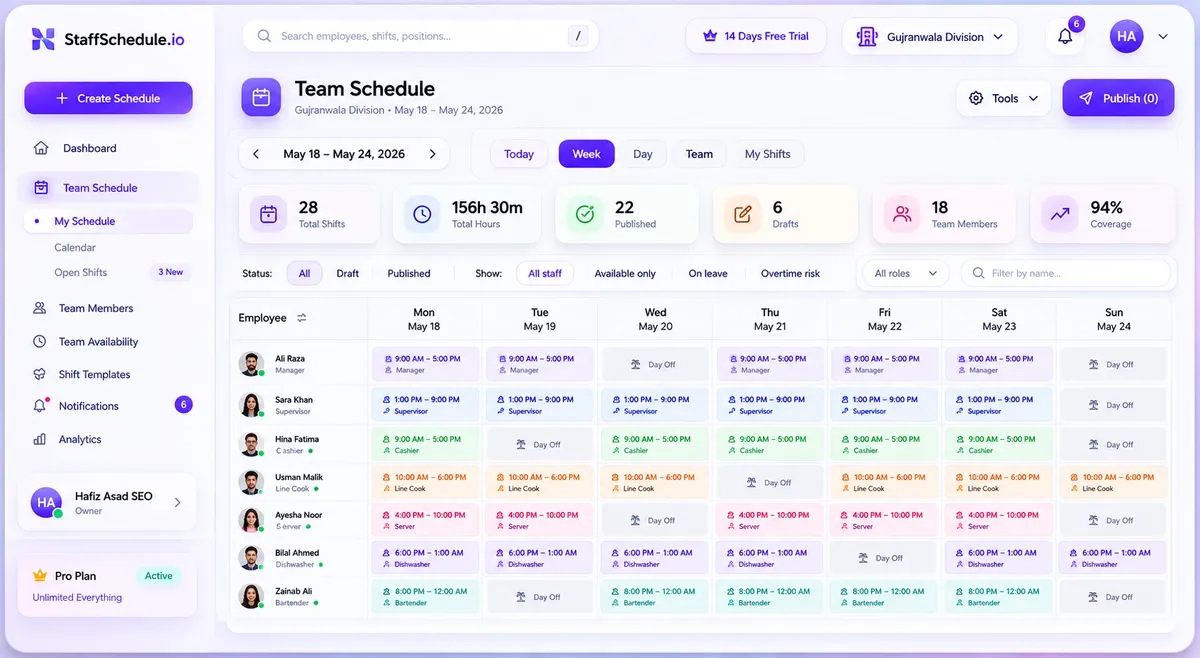
Connect store POS or foot-traffic forecast. Employees submit recurring availability on iOS & Android.
What Is Retail Staff Scheduling Software?
Retail staff scheduling software is a dedicated digital tool that helps retailers create, publish, and update employee work schedules with speed, accuracy, and operational control.
Instead of relying on chaotic spreadsheets, paper printouts, or fragmented group text chats, store managers use retail scheduling software to assign shifts based on store operating hours, employee availability, certified job roles, expected customer foot traffic, and specific staffing requirements.
Depending on the platform, it unifies time-off requests, shift swaps, automated reminders, mobile schedule distribution, and attendance reporting into a single dashboard.
Real-World Store Example: Demand-Driven Staffing
A clothing apparel boutique may require 6 sales associates, 2 cashiers, and a supervisor during a high-traffic Saturday afternoon rush, but only 2 employees on a quiet Tuesday morning. Dedicated scheduling software enables managers to map coverage directly to these changing customer traffic waves rather than overspending by assigning uniform staff to every shift.

Built for Fast-Paced Store Rhythms
Spreadsheets vs. Purpose-Built Retail Scheduling
See how upgrading from manual spreadsheets and group chats brings total calm to store management.
Manual Excel Sheets, Whiteboards & WhatsApp Chats
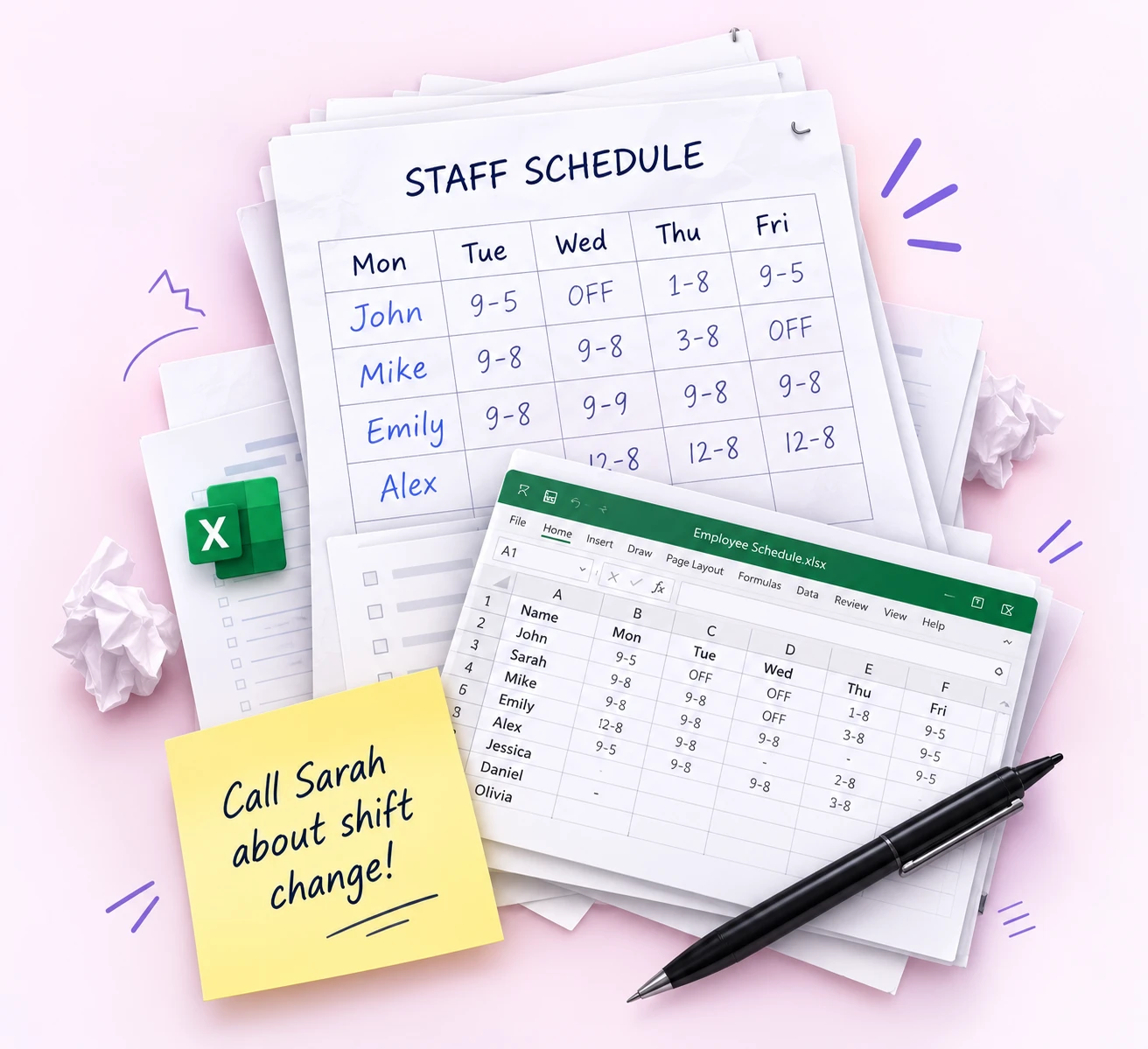
- ✕8+ hours wasted manually copy-pasting shifts and texting employees.
- ✕Accidental double-bookings due to unrecorded availability notes.
- ✕Outdated phone screenshots lead to missed shifts and no-shows.
- ✕Sudden overtime payroll penalties discovered too late at week-end.
Staff Scheduling: All-in-One Digital Store Platform
- Schedules built in 15 minutes with recurring peak templates.
- 100% Availability accuracy synced directly from employee apps.
- Under 90-second shift swaps with instant manager 1-tap approvals.
- Live overtime budget tracking protects store profit margins.
10 Key Features for Smarter Store Operations
Built specifically to solve retail shift complexity, eliminate manual chaos, and give staff schedule transparency.
Employee Scheduling & Shift Planning
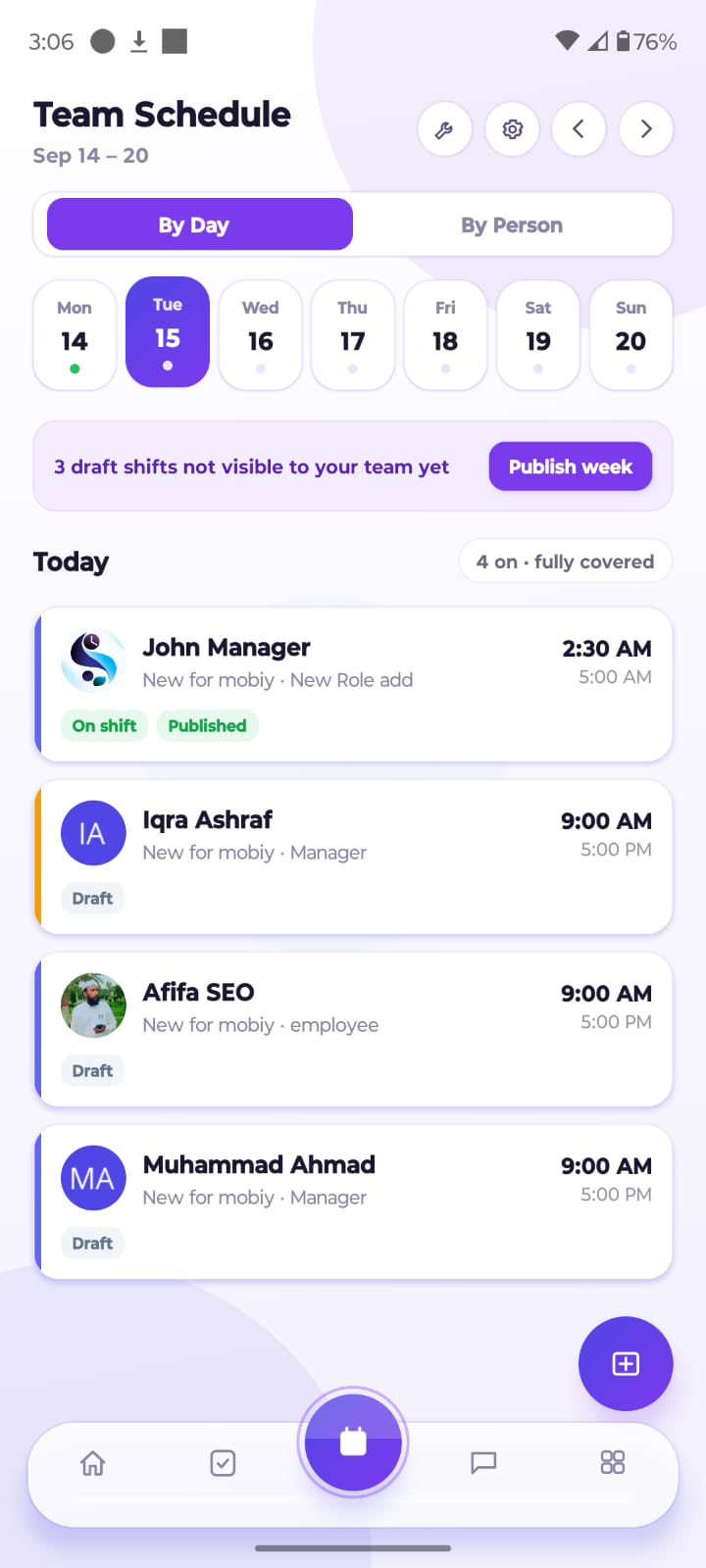
Build daily or weekly store schedules, assign shifts, and organize coverage by department, role, or store location. Reusable templates eliminate the pain of starting from scratch every week.
Manage Your Store Team
From Anywhere
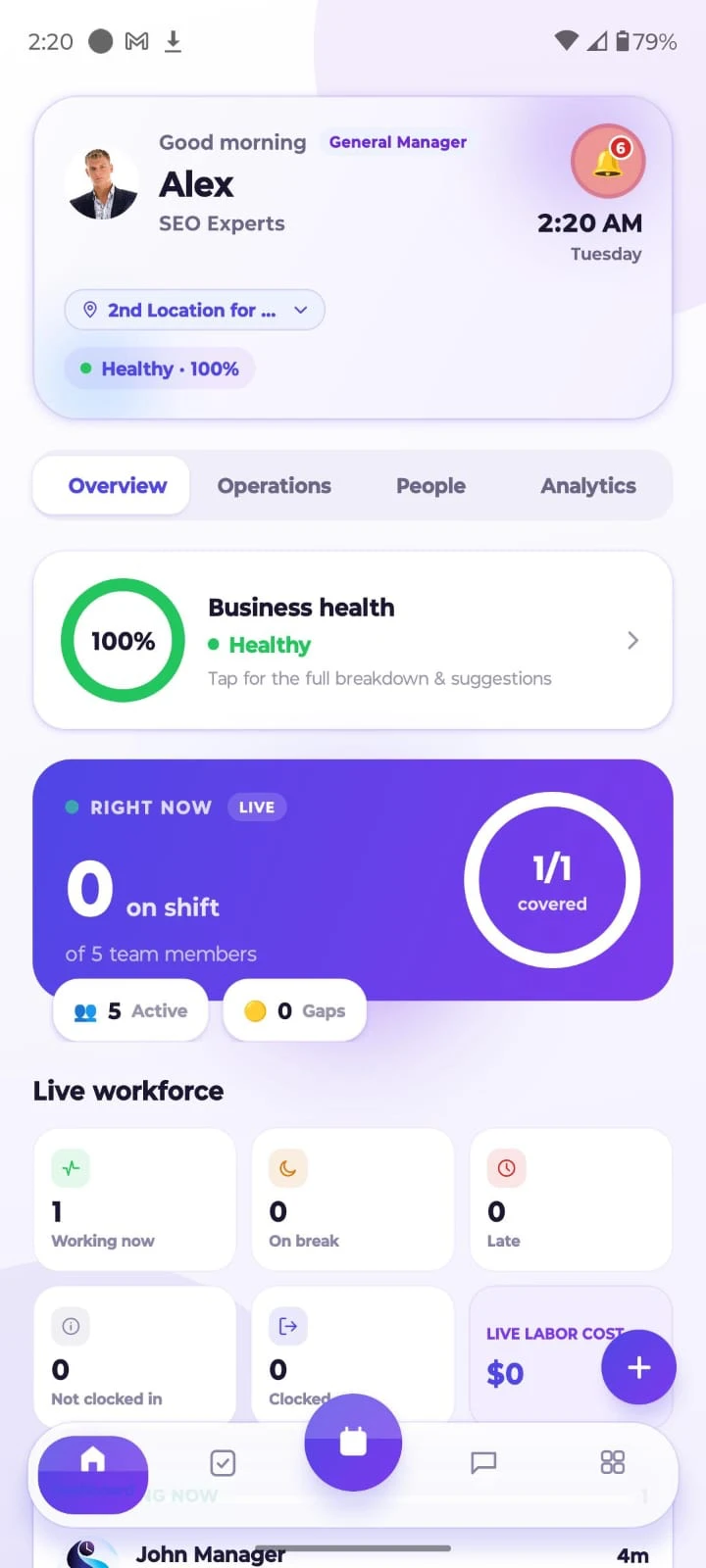
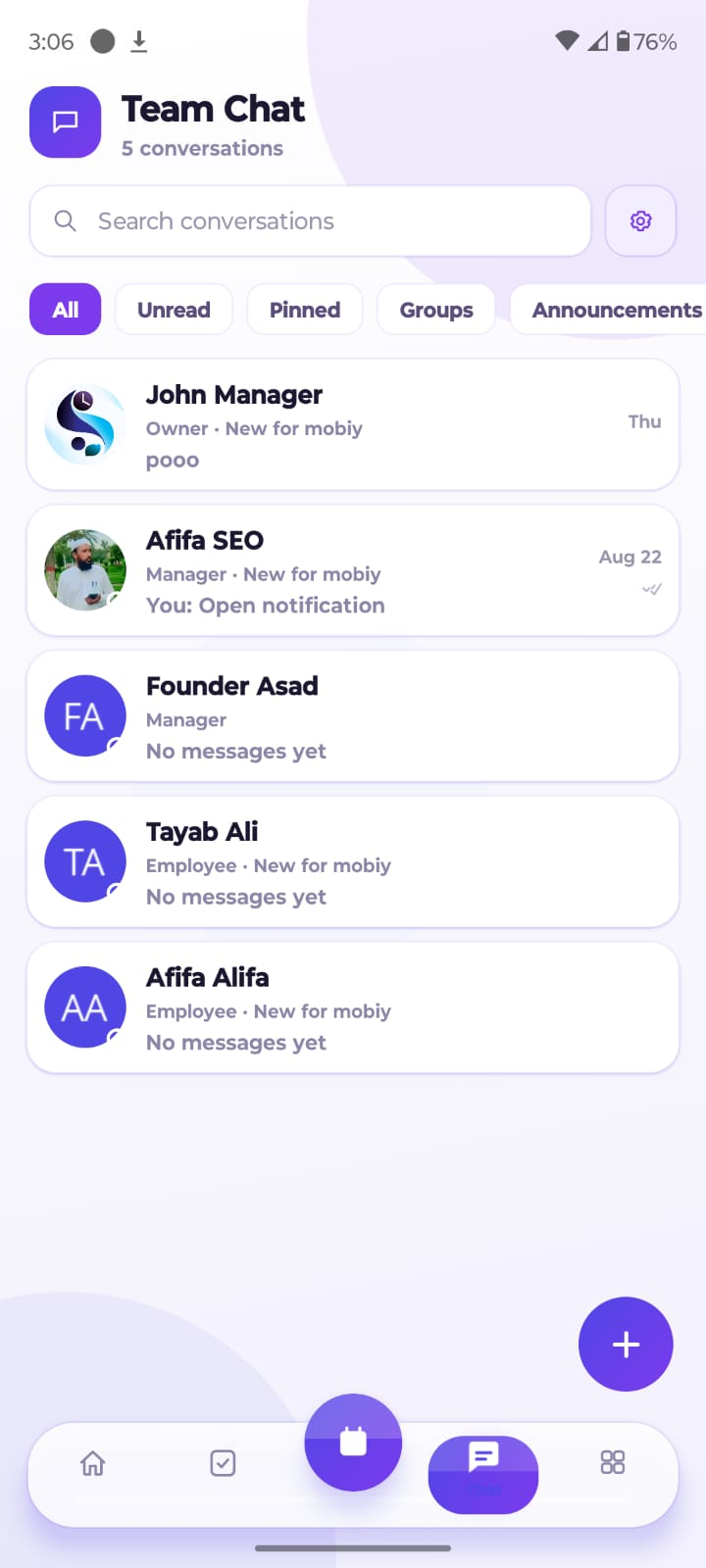
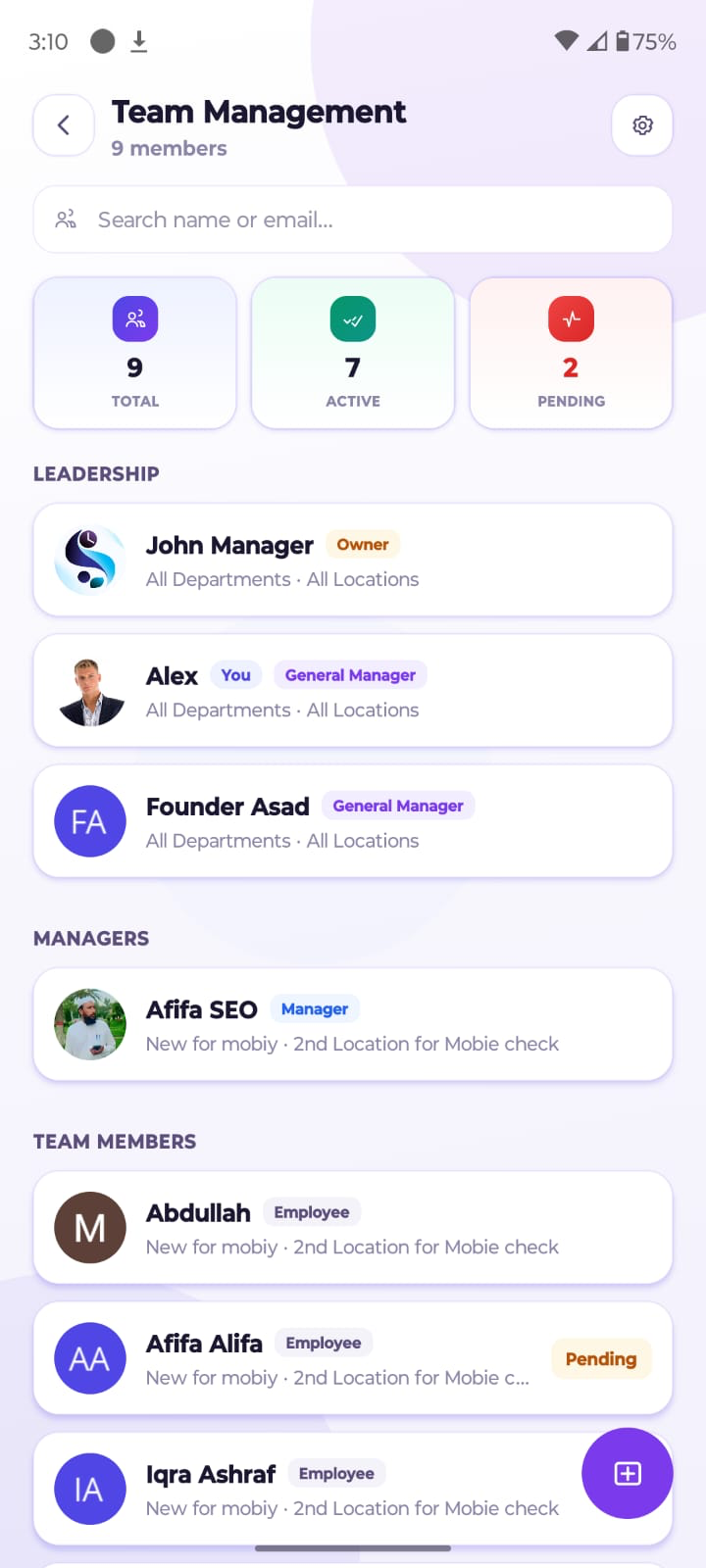
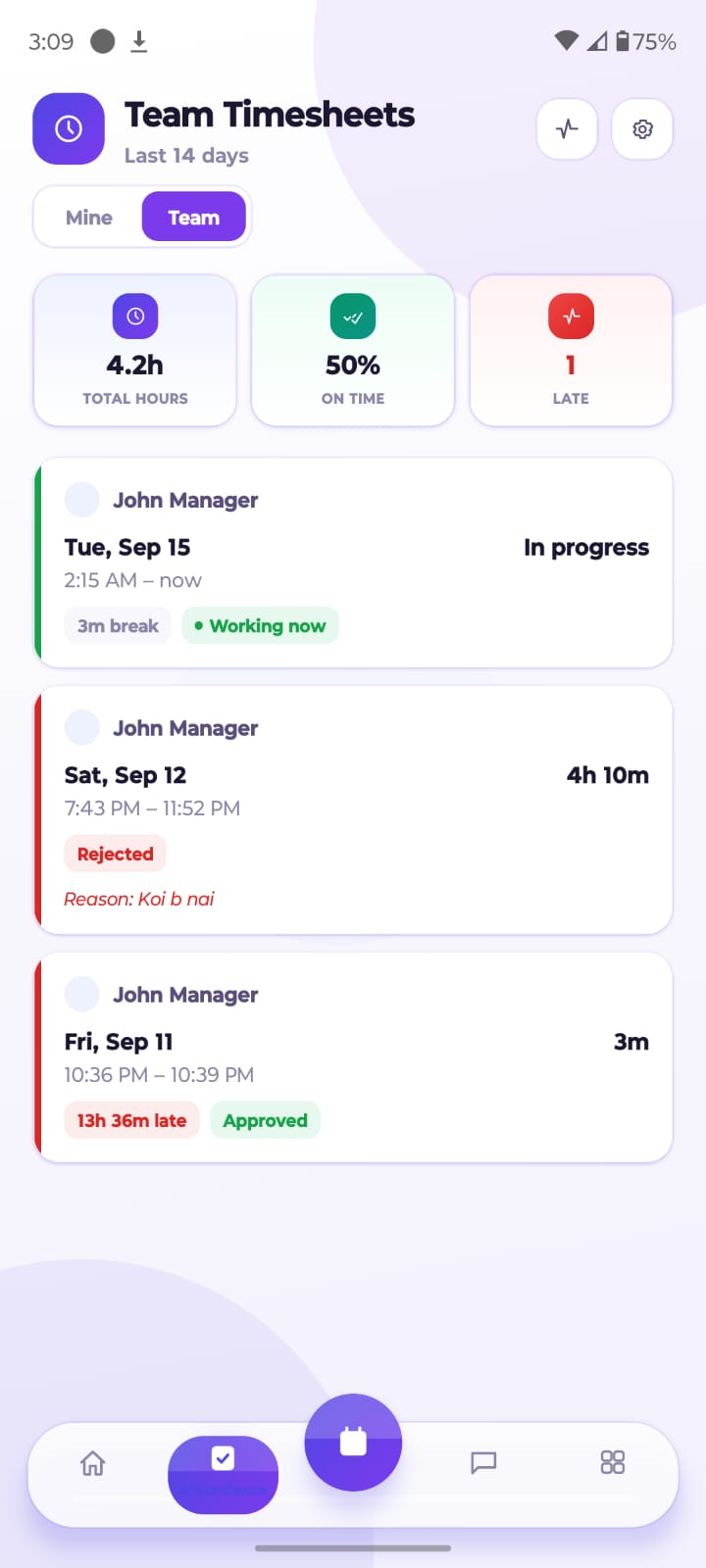
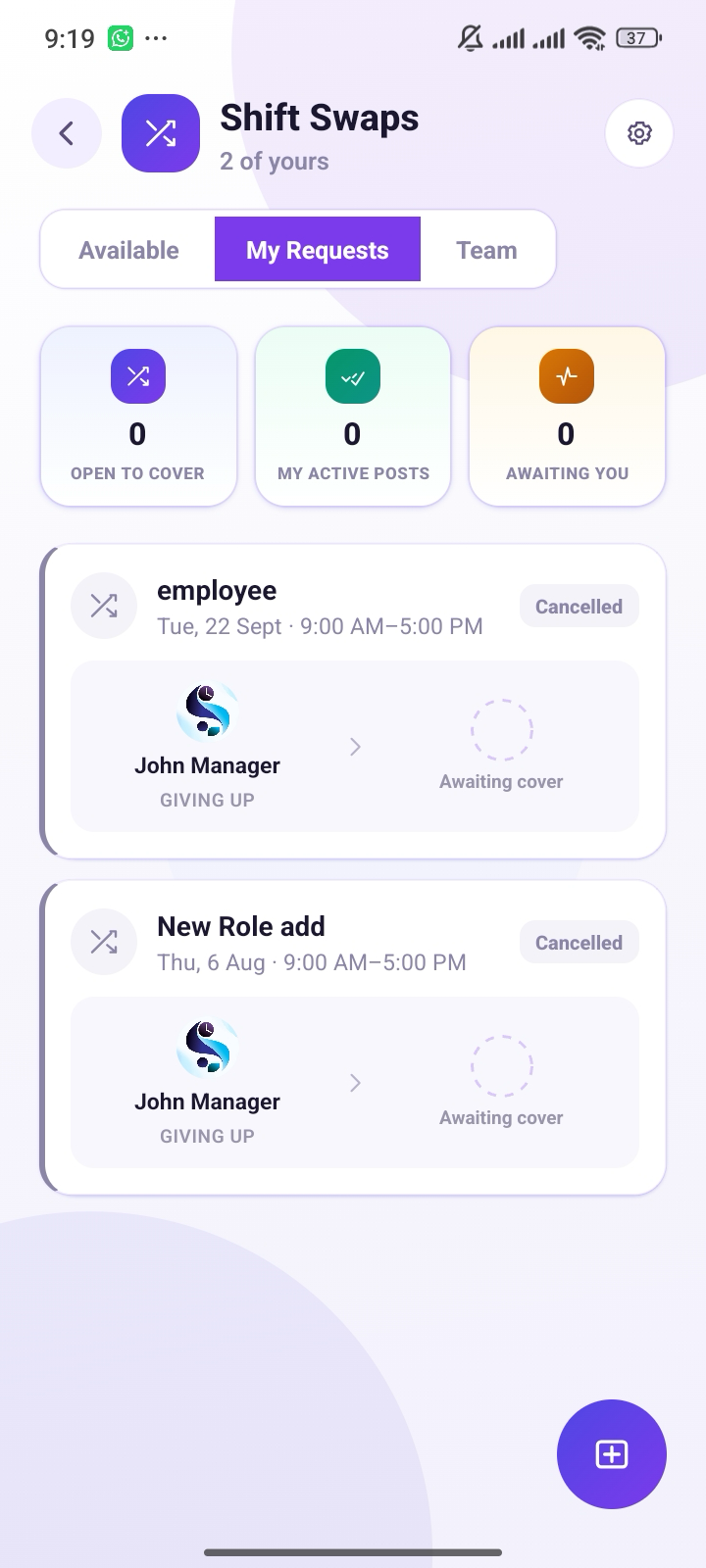
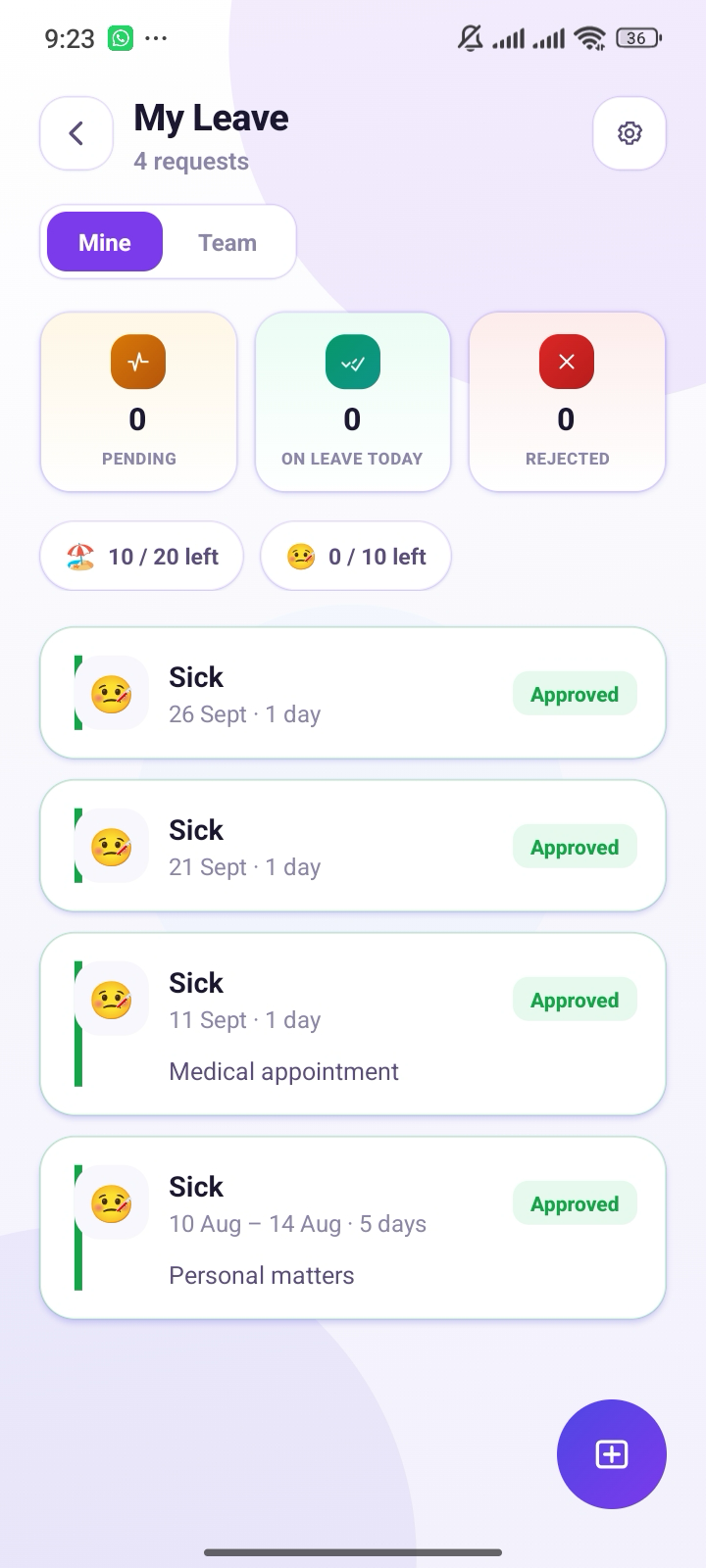
Stay on top of your retail store shifts whether you are on the sales floor, at home, or managing multiple locations across the district. Give employees the mobile freedom to see their schedule, trade shifts, and clock in effortlessly.
- Floor associates check upcoming shifts on the go
- Approve shift swaps & open shift coverage in 1 tap
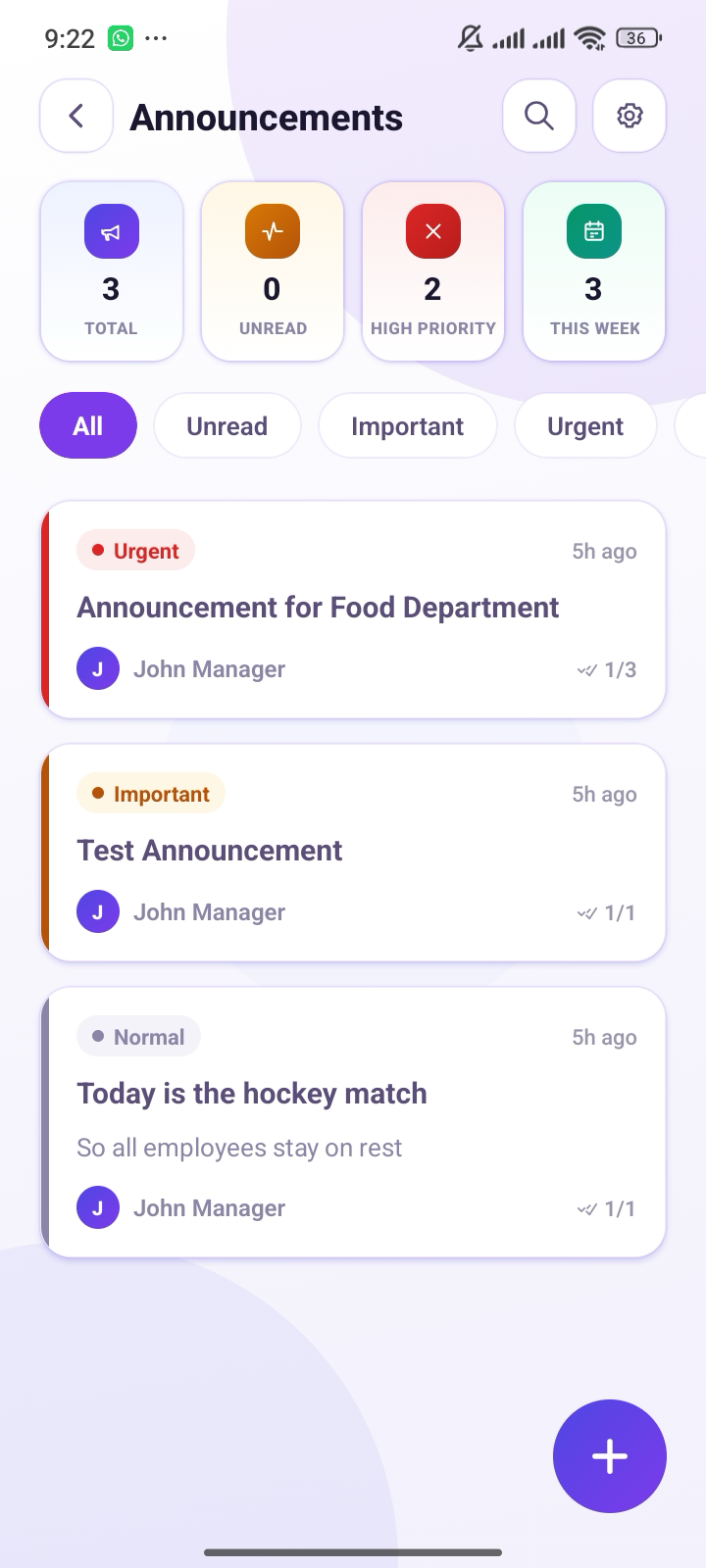
- Instant push notifications when schedules change
- Submit recurring availability & vacation requests directly
Free to download · Available for all iOS & Android devices
Plans that Scale with Your Store
Start your free 30-day trial today — no credit card required. Upgrade only when you are completely ready.
Starter
Best for single boutiques & small retail teams.
- Weekly Shift Schedule
- Calendar & Grid View
- Team Members (up to 20)
- 1 Store Location
- 5 Retail Departments
- Leave & Vacation Management
- Employee Availability Tracking
- Basic Mobile Notifications
Growth
Everything growing retail stores need to scale.
- Everything in Starter
- Team Chat & Announcements
- Mobile App for iOS & Android
- Shift Swapping & Open Shifts
- Advanced Retail Analytics
- Scheduled vs Actual Reports
- Team Members (up to 50)
- 10 Store Locations
- 25 Departments
Company
Built for multi-location retail operations & chains.
- Everything in Growth
- Team Members (up to 100)
- 25 Store Locations
- 50 Departments
- Cross-Store Staff Borrowing
- Priority Manager Support
- Overtime Prevention Alerts
- POS Sales Traffic Integration
Enterprise
Custom solution for nationwide retail brands.
- Unlimited Store Locations
- Unlimited Team Members
- Dedicated Account Manager
- Custom Payroll & POS Integrations
- Advanced Provincial Compliance
- Custom SLA & Security Reviews
How to Create a Better Retail Staff Schedule
Follow this practical 7-step workflow to build accurate, cost-effective retail schedules every single week:
Review Store Hours & Expected Demand
Analyze customer peak rushes, delivery windows, and promotions. Use past sales trends to plan coverage rather than guessing.
Confirm Availability & Approved Leave
Collect availability preferences beforehand to avoid scheduling clashes and unapproved absences.
Define Coverage by Role & Department
Specify exact requirements for cashiers, sales floor associates, stockroom handlers, and leads.
Assign Shifts & Check for Conflicts
Match staff based on skills and fatigue limits. Automatically catch overlapping shifts and break rules.
Review Hours & Labor Budget
Audit scheduled hours against your revenue target to prevent overstaffing during slow hours.
Publish Schedule & Notify Employees
Publish one clear digital schedule to staff smartphones with instant push notifications.
Track Changes & Learn From Results
Monitor attendance and actual hours versus planned shifts to continuously improve next week's schedule.
How to Choose the Right Retail Scheduling Software
Use this 10-point checklist to evaluate tools against your store's actual day-to-day workflow:
Ease of Use
Can managers build and adjust schedules in minutes without complex training?
Employee Access
Can associates view shifts and submit availability or time-off requests easily on mobile?
Shift Coverage
Does the tool support open shifts, peer-to-peer swaps, and manager approval workflows?
Scheduling Rules
Can you configure role certifications, availability windows, and break policies?
Mobile Access
Can staff receive instant push alerts and view the latest published schedule from anywhere?
Time and Attendance
Does it include time tracking, timesheets, and scheduled-vs-actual variance comparison?
Multiple Locations
Can the system support your current store count and scale with planned future openings?
Integrations
Does it connect with your retail POS, payroll, and accounting software without manual exports?
Transparent Pricing
Are subscription fees clear per user or location, without hidden onboarding surcharges?
Support & Security
Is customer support responsive and is employee personal data strictly protected?
Pro-Tip for Store Managers:
Test a realistic trial week that includes a last-minute sick callout, an availability change, and an open shift claim. That will show you the real workflow far better than a slide deck alone.
Common Retail Scheduling Questions
Answers to common questions about features, store implementation, and labor compliance.
Ready to Take Control of Your
Retail Store Schedules?
Eliminate scheduling conflicts, centralize staff availability, and give your store managers the modern tools they need. Start your free 30-day trial today with no credit card required.
Explore Related Scheduling Solutions & Free Tools